


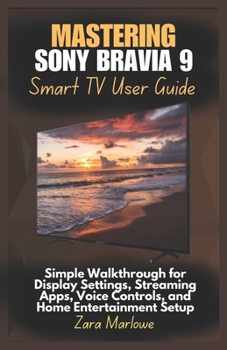
Mastering Sony Bravia 9 Smart TV User Guide: Simple Walkthrough for Display Settings, Streaming Apps, Voice Controls, and Home Entertainment Setup

Unlock the Power of Smarter Entertainment with the Sony Bravia 9
The Sony Bravia 9 Smart TV delivers breathtaking visuals, intuitive controls, and seamless streaming - and this unofficial guide is your clear and complete companion to mastering every feature. Whether you're setting up your first smart TV or upgrading to this advanced 4K model, this manual walks you through the essentials of setup, customization, and smart functionality.
Explore how to connect your TV to Wi-Fi, navigate the Google TV interface, personalize display and sound settings, manage apps, and use voice commands to control your entire entertainment experience. With detailed walkthroughs and helpful tips, this guide ensures your Bravia 9 is optimized for everyday enjoyment.
Inside This Guide, You'll Learn How To: Unbox, install, and connect your Bravia 9 to Wi-Fi, devices, and accountsNavigate Google TV using the remote, voice commands, or mobile appCustomize picture, brightness, color, and motion settings for any roomSet up and manage apps like Netflix, YouTube, Prime Video, and Bravia CoreUse Google Assistant or Alexa for hands-free voice controlConnect gaming consoles, soundbars, mobile devices, and HDMI peripheralsEnable parental controls, accessibility features, and home automation toolsRecord content, use picture-in-picture, and manage inputs easilyTroubleshoot connectivity, audio sync, or remote issues with confidenceWhether you're streaming your favorite series, gaming with friends, or enjoying a home theater setup, this guide helps you get the most from your Sony Bravia 9 - without the guesswork.
This is an independent publication and is not affiliated with Sony Corporation. All trademarks and product names are the property of their respective owners.
Customer Reviews
ThriftBooks® and the ThriftBooks® logo are registered trademarks of Thrift Books Global, LLC
