


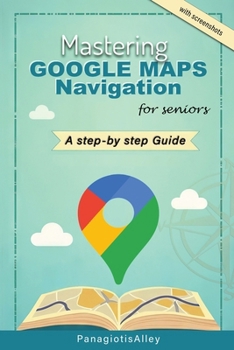
Mastering Google Maps Navigation: a guide for Seniors
No Customer Reviews

Welcome to Mastering Google Maps Navigation This guide is designed for anyone who wants to learn how to use Google Maps effectively.
Whether you're planning a road trip, looking for the fastest route to your doctor's appointment, or just want to explore new places with confidence, Google Maps is a powerful tool that can help. In this step-by-step guide, we'll walk you through everything you need to know, from the basics of downloading the app to more advanced features like voice-guided navigation and finding local attractions. Let's begin your journey into the world of digital navigation Table of ContentsIntroductionOverview of Google MapsHow This Guide Helps Seniors Navigate EasilyChapter: 1: Getting Started with Google Maps1.1 What is Google Maps?1.2 Downloading and Installing Google Maps1.3 Opening and Setting Up Google Maps for the First Time2: Understanding the Google Maps Interface.2.1 Main Features and Tools2.2 Using the Search Bar2.3 Zooming, Moving the Map, and Switching Views3: How to Get Directions Using Google Maps3.1 Getting Step-by-Step Directions3.2 Understanding Turn-by-Turn Navigation3.3 Using Voice-Guided Navigation for Hands-Free Directions4: Exploring More Features4.1 Real-Time Traffic and Alternative Routes4.2 Saving Favorite Locations (Home, Work, etc.)4.3 Finding and Exploring Nearby Places4.4 Using Google Maps for Public Transportation5: Advanced Features for Better Navigation5.1 Downloading Offline Maps for Internet-Free Navigation5.2 Using Google Maps with Voice Commands5.3 Sharing Your Location with Family or Friends6: Troubleshooting and Tips6.1 What to Do If Google Maps Won't Load6.2 Tips for Using Google Maps Effectively6.3 Avoiding Tolls, Highways, or Unpaved RoadsConclusion
Whether you're planning a road trip, looking for the fastest route to your doctor's appointment, or just want to explore new places with confidence, Google Maps is a powerful tool that can help. In this step-by-step guide, we'll walk you through everything you need to know, from the basics of downloading the app to more advanced features like voice-guided navigation and finding local attractions. Let's begin your journey into the world of digital navigation Table of ContentsIntroductionOverview of Google MapsHow This Guide Helps Seniors Navigate EasilyChapter: 1: Getting Started with Google Maps1.1 What is Google Maps?1.2 Downloading and Installing Google Maps1.3 Opening and Setting Up Google Maps for the First Time2: Understanding the Google Maps Interface.2.1 Main Features and Tools2.2 Using the Search Bar2.3 Zooming, Moving the Map, and Switching Views3: How to Get Directions Using Google Maps3.1 Getting Step-by-Step Directions3.2 Understanding Turn-by-Turn Navigation3.3 Using Voice-Guided Navigation for Hands-Free Directions4: Exploring More Features4.1 Real-Time Traffic and Alternative Routes4.2 Saving Favorite Locations (Home, Work, etc.)4.3 Finding and Exploring Nearby Places4.4 Using Google Maps for Public Transportation5: Advanced Features for Better Navigation5.1 Downloading Offline Maps for Internet-Free Navigation5.2 Using Google Maps with Voice Commands5.3 Sharing Your Location with Family or Friends6: Troubleshooting and Tips6.1 What to Do If Google Maps Won't Load6.2 Tips for Using Google Maps Effectively6.3 Avoiding Tolls, Highways, or Unpaved RoadsConclusion
Format:Paperback
Language:English
ISBN:B0DRT7BTPN
ISBN13:9798305066487
Release Date:December 2024
Publisher:Independently Published
Length:28 Pages
Weight:0.15 lbs.
Dimensions:0.1" x 6.0" x 9.0"
Customer Reviews
0 rating
Copyright © 2026 Thriftbooks.com
Terms of Use | Privacy Policy | Do Not Sell/Share My Personal Information | Cookie Policy | Cookie Preferences | Accessibility Statement
ThriftBooks ® and the ThriftBooks ® logo are registered trademarks of Thrift Books Global, LLC
ThriftBooks ® and the ThriftBooks ® logo are registered trademarks of Thrift Books Global, LLC
