


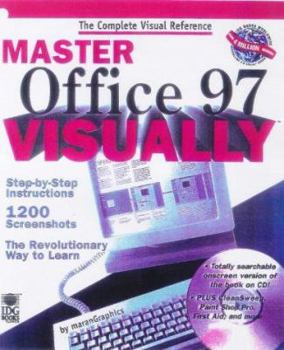
Master Office? 97 VISUALLY (Idg's 3-D Visual Series)

Master Office 97 Visually(tm) "An extraordinary, well-done reference guide." -- Steve Segal, Pittsburg Tribune-Review on Master Windows? 95 Visually(tm) Read Less, Learn More The Revolutionary Way to Learn! Visual Learning With text and visuals tightly integrated to provide a complete overview of Office 97's high-productivity components, Master Office 97 Visually's cutting-edge graphic presentation style makes it quicker and easier than ever to become an Office 97 expert. Practical Know-How This hands-on guide shows you how to make real-world use of Office 97 with step-by-step instructions on how to accomplish specific tasks to solve specific problems. Complete Mastery Master every feature of Office 97 -- make the most of each individual program, including World, Excel, PowerPoint, Access, Outlook, and Internet Explorer 4; integrate applications for maximum productivity; and take full command of Office 97's Internet capabilities. CD-ROM jam-packed with: EarthLink Total Access -- with Netscape Navigator 4 MindSpring -- with Internet Explorer 4 Tryouts of: -- Cybermedia FirstAid and Oil Change -- Niko Mak WinZip 6.3 -- Quarterdeck CleanSweep 3.0 -- Symantec WinFax Pro 8.0 Adobe Acrobat Reader Web links for instant access to the hottest Web pages Plus an easy-to-search, on-screen version of the book! "A publishing concept whose time has come!" -- The Globe and Mail www.idgbooks.com
Format:Paperback
Language:English
ISBN:0764560360
ISBN13:9780764560361
Release Date:July 1998
Publisher:Visual
Length:679 Pages
Weight:3.40 lbs.
Dimensions:9.0" x 1.8" x 8.1"
Customer Reviews
4 ratings
A Computer Way of Thinking
Published by Thriftbooks.com User , 22 years ago
VALUE OF THE BOOK: Already having about a 3-ft pile of computer books, I still found it most valuable about a year and a half ago to borrow and read this one by maranGraphics. For anyone needing to do much work using programs in Microsoft Office 97, I recommend reading this book cover-to-cover. It's a quick reference for sophisticates, and it is a powerful enabler for novices, whether they have used this software for just 1 month or have used it unskillfully for 10 years. Especially valuable is the option of reading the entire book without ever turning on the computer, since nearly every discussed screen, dialog box and drop-down menu is printed in the book. I found this abundant use of printed screens to be a more accurate representation of the actual computer experience. Not having to fumble between the book, the pen and the computer is great, especially for studying on bus or train.WHY READ THE WHOLE BOOK?1) It's doable. 2) The reduced frustration in learning afforded by this format nets one more learning per hour.3) One can better understand each of the MS Office components by reading about all of them. 4) One can develop more of a "computer way of thinking." 5) It leads to a better intuition about how the software probably works. 6) It enables one to choose more efficient methods and programs for one's tasks. 7) The resulting increased familiarity converts the book into a more rapid reference.8) It helps to prepare one for the reading of material with higher information density. SUGGESTED STUDY METHOD AND ATTITUDE: 1) Fine print & icons: to make the most of the learning task at hand you will need to be able to read all of the fine print and make out the designs in all of the icons in the pictured program screens. Drug store reading glasses might be helpful. The pictures of computer screens display some very fine print which should not be skipped over. 2) Thorough reading: recognizing that no thick computer book covers all topics or all of every topic, and trusting that the writers have chosen to depict the most useful material, read and strive to understand every detail of the text and the screens - this will enhance understanding and memory. 3) Repetition in the text: welcome it as a memory enhancer. 4) Taking notes: write book notes, or possibly write your own rapid-access help document comprised entirely of one-liner command selection sequences. Example: Scroll bar, horizontal: Tools > Options > View > Horizontal Scroll Bar <p>5) Workshops: if, for example, you are going to attend an Excel or Access workshop, don't go in there ignorant. Be sure to master the related material in this book first - you will be able to keep up with the workshop pace, you will learn more, and you will experience less embarrassment. <p>6) Efficiency and attitude: understanding that optimal use of the programs will save hundreds of hours of work, one can more readily accept that a few tens of hours will be needed to master the material. That's not
I Can't Believe I Read the Whole Thing
Published by Thriftbooks.com User , 22 years ago
VALUE OF THE BOOK: Already having about three feet of thick computer software books, I still found it most valuable about a year ago to borrow and read this one by maranGraphics. For anyone needing to do much work using programs in Microsoft Office 97, I recommend reading this book cover-to-cover. It's a quick reference for sophisticates, and it is a powerful enabler for novices, whether they have used this software for just 1 month or have used it unskillfully for 10 years. Especially valuable is the option of reading the entire book without ever turning on the computer, since nearly every discussed screen, dialog box and drop-down menu is printed in the book. I found this abundant use of printed screens to be a more accurate representation of the actual computer experience than the representations in other books. Not having to fumble between the book, the pen and the computer is great, especially for studying on bus or train.WHY READ THE WHOLE BOOK? 1) It's doable. 2) The reduced frustration in learning afforded by this format nets one more learning per hour.3) One can better understand each of the MS Office components by reading about all of them. 4) One can develop more of a "computer way of thinking." 5) It leads to a better intuition about how the software probably works. 6) It enables one to choose more efficient methods and programs for one's tasks. 7) The resulting increased familiarity converts the book into a more rapid reference.8) It helps to prepare one for the reading of material with higher information density. SUGGESTED STUDY METHOD AND ATTITUDE: 1) Fine print & icons: for the learning task at hand you will need to be able to read all of the fine print and make out the designs in all of the icons in the pictured program screens. If needed, experiment with (drug store, thrift store or prescribed) eyeglasses which will allow you to read at a distance of about 12 inches, for greater magnification. 2) Thorough reading: recognizing that no thick computer book covers all topics or all of every topic, and trusting that the writers have chosen to depict the most useful material, read and strive to understand every detail of the text and the screens - this will enhance understanding and memory. 3) Repetition in the text: welcome it as a memory enhancer. 4) Taking notes: write book notes, or possibly write your own rapid-access help document comprised entirely of one-liner command selection sequences. Example: Scroll bar, horizontal: Tools > Options > View > Horizontal Scroll Bar <p>5) Workshops: if, for example, you are going to attend an Excel or Access workshop, don't go in there ignorant. Be sure to master the related material in this book first - you will be better able to keep up with the workshop pace, you will learn more, and you will experience less embarrassment. <p>6) Efficiency and attitude: understanding that optimal use of the programs will save hundreds of hours of work, one can more readily accept that a few
Great aide!
Published by Thriftbooks.com User , 27 years ago
Simple for first timers. Easy for advanced to locate answers to questions
The Greatest.
Published by Thriftbooks.com User , 27 years ago
This book is absolutely the best way I've seen to learn Office 97. Even better than a video. Very well thought out, very easy to follow, covers a lot of ground. This whole series is the best computer learning tool of any kind I've ever seen. Get this one first.
Copyright © 2026 Thriftbooks.com
Terms of Use | Privacy Policy | Do Not Sell/Share My Personal Information | Cookie Policy | Cookie Preferences | Accessibility Statement
ThriftBooks ® and the ThriftBooks ® logo are registered trademarks of Thrift Books Global, LLC
ThriftBooks ® and the ThriftBooks ® logo are registered trademarks of Thrift Books Global, LLC
