


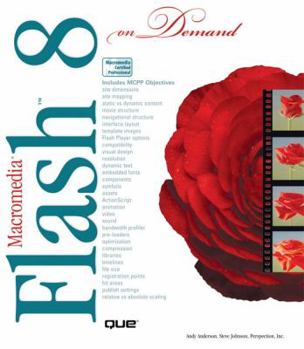
Macromedia Flash 8 on Demand

'Macromedia Flash 8 on Demand' offers a fast, visual way to learn Flash 8, enabling one to create interactive web sites. This description may be from another edition of this product.
Format:Paperback
Language:English
ISBN:0789734699
ISBN13:9780789734693
Release Date:January 2005
Publisher:Que Pub
Length:539 Pages
Weight:2.60 lbs.
Dimensions:9.3" x 1.3" x 8.0"
Customer Reviews
5 ratings
Great Flash Reference book and prep for certification
Published by Thriftbooks.com User , 18 years ago
I am the manager of the Seattle Flash User Group and I have also passed two Flash certification exams, so I know flash well and have used the program for several years. This book is an excellent book. When someone comes to the User Group and they are new to Flash or want to just learn the program I recommend three books, Lynda.com's Professional Flash 8: Hands On Training, to start learning the program, that will get your started learning the 20% of the program that you will use 80% of the time, the other two books are the Flash Cookbook and this book Flash on Demand. I have read the book cover to cover; it is highlighted and has several post-it tabs attached to it. It is the first book I grab when I want to do a quick look up. It does a good job explaining and is full of photos. It is a great reference and study guide for the exam that is why I read it cover to cover. The certification test cover a lot of area and you need a guide to review and study that covers the whole spectrum. One book will not do it, you need a couple and this one is good for that. They give a lot of suggestions on where to study and making mental notes on the test and they are very accurate. Also I should add I do not know the people or the company that wrote this book. I am giving them a good review because I like this book and if my review helps someone to learn flash better I did my part. It is a great program. When I started to learn flash I bought a lot of bad books, if I can keep someone from being discourage again I done my part for the flash community.
An Interesting Presentation Format that I Really Liked
Published by Thriftbooks.com User , 19 years ago
When I first wanted to learn Flash, I started with the tutorial that came with the software. While I suppose that this works for a lot of people, it didn't work for me. Although I tried to do everything exactly as described, the result just didn't come out the same as the demos. Next step was this book. It says it's aimed at the Beginner-Intermediate level. Beginner is me. Then I looked at the format of the book inside. It has an interesting format of two columns on each page. One of these is basically text that describes a problem and talks you through the solution. The rest of the page is what the screen looks like when you do it correctly. This worked for me. I knew what I was trying to do at each step. I saw where to point with the mouse. and generally speaking the result turned out like expected. (OK, so a couple of times I had to do something two or three times.) This is a splendid way to do a tutorial book that leads you through programming in Flash. In addition, there are two othe features of the book. First if you already know Flash, and you just want to get up to date on the new stuff in Flash 8, it is clearly marked. Second, the back cover says that this book meets the objectives for the Macromedia Certified Professional Program. These certifications look good on a resume. I'm not ready to take the test yet, but I'm headed that way.
Awesome book
Published by Thriftbooks.com User , 19 years ago
This is the first time I wrote a review because this book is sooooo great. This is my first time taking a Flash class, but the professor runs through the materials very fast, so I can't follow it or even take notes in the class. This book has many panel pictures to "show" you how to do a task rather than "tell" you how to do it. It breaks up every task into two facing pages, so you can find a function you need very fast from the index and then jump out of the book again. It also shows page numbers of related information of a single task, so you can get more info on one single task by jumping to the number indicated. This book is my Flash saver for the class.
good, but first few chapters are a waste of reading
Published by Thriftbooks.com User , 19 years ago
I just got this book today and so far I'm in the middle of the 4th chapter.. and it's just getting into the good stuff. Before that it was just navigating around the program (which is really boring stuff that you can figure out by yourself) and how to use a few tools like the brush and pen. But yeah it's pretty sweet, can't wait to read more.
Great title
Published by Thriftbooks.com User , 20 years ago
I'm not new to Flash; however, it's not an application that I pick up and use on a daily basis... after digging into this book, I'm going to begin using Flash more and more. Andy's style of writing is really easy to read, and his tips and tricks for using the application are fantastic. It's not an advanced book. I'd say it's for beginners to intermediate users. But some of the chapters deal with some pretty cool features: like incorporating video (flv) into a Flash document, and then using some of the new skin features to personalize the output. If you have ever wanted to use Flash to design everything from Web documents to interactive training CD's, then this is a great title to own.
Copyright © 2025 Thriftbooks.com
Terms of Use | Privacy Policy | Do Not Sell/Share My Personal Information | Cookie Policy | Cookie Preferences | Accessibility Statement
ThriftBooks ® and the ThriftBooks ® logo are registered trademarks of Thrift Books Global, LLC
ThriftBooks ® and the ThriftBooks ® logo are registered trademarks of Thrift Books Global, LLC
