


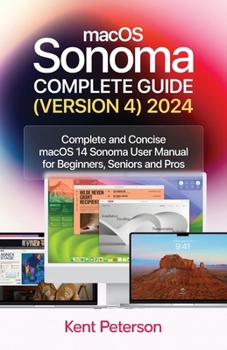
maCOS Sonoma Complete Guide (Version 4) 2024: Complete and Concise macOS Sonoma User Manual for Beginners, Seniors and Pro
No Customer Reviews

"Navigating MacOS Sonoma: Your Essential User Guide" Explore the world of macOS with the help of this thorough user manual, "Navigating macOS Sonoma." This handbook is your go-to source for maximizing the potential of your Apple computer, regardless of whether you're a novice or an experienced user wishing to improve your abilities. You'll find detailed instructions for configuring your Mac, learning how to use the UI, and personalizing the experience to your tastes inside. Learn the capabilities of useful programs like Calendar, Mail, and Safari. You may also save time by using keyboard shortcuts and gestures. Discover the depths of the Finder, where fast search and file management features come to life. Discover the hidden benefits of sophisticated features like Spotlight, Siri, and system security settings to maintain the stability and security of your Mac. Gain the information necessary to maximize the use of your Mac. "Navigating macOS" is your guide to becoming a competent and self-assured macOS user-it's more than just a user handbook. Prepare yourself to easily navigate your Mac and discover all of its limitless possibilities." The most recent version of macOS Sonoma, which runs on MacBook Pro, MacBook Air, Mac Mini, iMac, and Mac Pro computers, is covered in this user manual in both basic and advanced sections. You will gain a lot of knowledge about the desktop environment and setup procedures if you are new to Mac. Additionally, you will comprehend internet-related guidelines like Wi-Fi setups, Apple ID login modules, benefits and hints for iCloud storage, Time Machine backup and restoration capabilities, and more. This instruction manual will introduce you to the fresh and distinctive macOS Sonoma environment if you're not a Mac novice. Using a professional pen, we have detailed advanced Mac operations for you. You'll discover how to set up and maintain focus, adjust screen time, dictate and send messages, edit images and videos, take full advantage of the Maps app to find your way around, and much more. An overview of the subjects this book covers is provided below: Learn about the Sonoma environment on macOS.How to Get Anywhere Access to Your ContentLinking Your Mac Computer to the InternetUsing Ethernet and Wi-FiUtilizing Quick HotspotUsing a Mac's SafariSet Up Touch ID, Rename, or Delete FingerprintsPrinting Documents From A Mac Using Touch ID To Unlock, Login, and Transfer UsersMake use of keyboard hotkeys.Customize Keystroke InputsInclude and adjust widgetsGive the Notification Center WidgetsWays to customize widgetsEliminating desktop programsAdd Safari Links to a Quick NoteAdd Content From Safari To A Brief NoteHow to Use Maps on a Mac to Find Directions and More
Format:Paperback
Language:English
ISBN:B0CN9WR7DP
ISBN13:9798867638139
Release Date:November 2023
Publisher:Independently Published
Length:108 Pages
Weight:0.30 lbs.
Dimensions:0.2" x 5.5" x 8.5"
Customer Reviews
0 rating
Copyright © 2026 Thriftbooks.com Terms of Use
| Privacy Policy | Do Not
Sell/Share My Personal Information | Cookie Policy | Cookie Preferences | Accessibility Statement
ThriftBooks® and the ThriftBooks® logo are registered trademarks of Thrift Books Global, LLC
ThriftBooks® and the ThriftBooks® logo are registered trademarks of Thrift Books Global, LLC
