


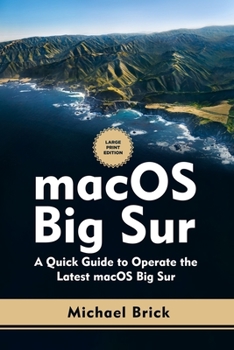
macOS Big Sur: A Quick Guide to Operate the Latest macOS Big Sur (Large Print Edition)
No Customer Reviews

MacOS Big Sur has got a fresh redesign, and that's the most significant update. Icons are being completely redesigned. The browsing experience on Safari is now faster and more efficient. It can load web pages 50 times faster than Chrome and still keep excellent power efficiency, which enables your computer to run all day without expending its battery life. You can change or add a background to your favorite homepage, which is a nice little touch. If you are browsing a page in a different language on Safari, the new translation or dynamic translation icon will identify and change dynamically to any language you want. There are a few new additions to the Maps app where you can select favorites and save them. A couple of new developer tools that make it easier for apps that run on iOS or your iPad to bridge straight over to your Mac have been added, and this book will guide you through how to navigate these new updates on the MacOS Big Sur. Topics covered in this book include: How to prepare your Mac for installation How to download and install MacOS Big Sur How to enable automatic update How to add controls for the apps you use Accessing the display setup How to pin menu items from the control center How to customize Safari How to select sections to be displayed on Safari start page How to translate any web page on Safari How to sort your notifications How to customize group notification settings How to disable notifications How to explore places on the map How to save guides on the map How to plan cycling routes and get cycling directions How to pin messages How to share your name and photos when messaging How to use keyboard shortcuts How to create and edit memoji And many more... As you go through this MacOS Big Sur user guide, you would be able to successfully advance from beginner to pro in accessing and setting up your MacBook for installations. There are more tutorials you would be equipped with on this guide book. So what are you waiting for? Scroll up and Click the Orange - BUY NOW WITH 1-CLICK BUTTON- on the top right corner and Download Now You won't regret you did See you inside
Format:Paperback
Language:English
ISBN:B08PJPQTW5
ISBN13:9798575708858
Release Date:January 1
Publisher:Independently Published
Length:146 Pages
Weight:0.45 lbs.
Dimensions:0.3" x 6.0" x 9.0"
Customer Reviews
0 rating
Copyright © 2025 Thriftbooks.com
Terms of Use | Privacy Policy | Do Not Sell/Share My Personal Information | Cookie Policy | Cookie Preferences | Accessibility Statement
ThriftBooks ® and the ThriftBooks ® logo are registered trademarks of Thrift Books Global, LLC
ThriftBooks ® and the ThriftBooks ® logo are registered trademarks of Thrift Books Global, LLC
