


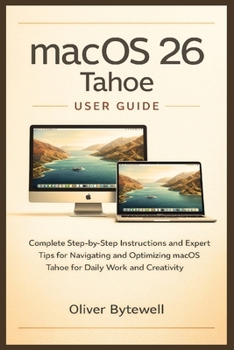
macOS 26 Tahoe User Guide: Complete Step-by-Step Instructions and Expert Tips for Navigating and Optimizing macOS Tahoe for Daily Work and Creativity
No Customer Reviews

macOS 26 Tahoe User Guide is the ultimate resource for anyone looking to master Apple's latest operating system. Whether you are upgrading from an earlier version or setting up your Mac for the first time, this guide provides clear, actionable instructions to help you unlock the full potential of macOS 26 Tahoe.
This comprehensive guide walks you through every aspect of the operating system, from the redesigned interface and visual enhancements to the powerful tools and automation features that make your workflow more efficient. Learn how to navigate the updated Menu Bar, Dock, and Finder, and take full advantage of Mission Control, Stage Manager, and other multitasking features. Discover how Spotlight search has been expanded to not only locate files but also perform actions and launch shortcuts directly, saving valuable time and simplifying complex tasks.
With a strong focus on productivity and personalization, this guide shows you how to tailor your Mac to your specific needs. Explore the new Liquid Glass design, adjust transparency and icon settings, and organize your workspace with Desktop Stacks, Smart Folders, and tagging systems. Master communication tools, including the new Phone app, Live Activities, and improved integration with Messages and FaceTime, so you can stay connected across all your Apple devices.
For creative professionals and power users, macOS 26 Tahoe offers new ways to work efficiently. Take advantage of the enhanced Quick Look previews, Quick Actions, and built-in automation through Shortcuts to streamline repetitive tasks. Explore creative tools such as Image Playground and Genmoji for generating and editing visual content. Learn keyboard shortcuts and Finder techniques that allow you to navigate, organize, and manipulate files faster than ever before.
This guide also covers essential aspects of security, privacy, and system optimization, providing tips on managing storage, monitoring battery performance, and safeguarding sensitive information. Each chapter is designed to give you practical insights and expert advice that can be applied immediately, turning your Mac into a highly productive and customized workspace.
Key Features of This GuideStep-by-step instructions for setting up and customizing macOS 26 TahoeDetailed walkthroughs of new features and visual enhancementsExpert tips for productivity, communication, and creative workflowsPower-user shortcuts, hidden features, and time-saving techniquesGuidance on system security, privacy, and optimizationWhether you are a professional looking to enhance your workflow, a creative seeking the best tools for your projects, or a casual user wanting to make the most of your Mac, this guide provides everything you need. By following the instructions, tips, and strategies in this book, you will gain confidence navigating macOS 26 Tahoe, improve your productivity, and discover features that make your Mac experience more efficient and enjoyable.
This guide transforms macOS 26 Tahoe from a tool you use into a system you master, helping you work smarter, create faster, and stay organized effortlessly. It is an essential resource for anyone committed to making the most of their Mac and exploring the full potential of Apple's latest operating system.
This comprehensive guide walks you through every aspect of the operating system, from the redesigned interface and visual enhancements to the powerful tools and automation features that make your workflow more efficient. Learn how to navigate the updated Menu Bar, Dock, and Finder, and take full advantage of Mission Control, Stage Manager, and other multitasking features. Discover how Spotlight search has been expanded to not only locate files but also perform actions and launch shortcuts directly, saving valuable time and simplifying complex tasks.
With a strong focus on productivity and personalization, this guide shows you how to tailor your Mac to your specific needs. Explore the new Liquid Glass design, adjust transparency and icon settings, and organize your workspace with Desktop Stacks, Smart Folders, and tagging systems. Master communication tools, including the new Phone app, Live Activities, and improved integration with Messages and FaceTime, so you can stay connected across all your Apple devices.
For creative professionals and power users, macOS 26 Tahoe offers new ways to work efficiently. Take advantage of the enhanced Quick Look previews, Quick Actions, and built-in automation through Shortcuts to streamline repetitive tasks. Explore creative tools such as Image Playground and Genmoji for generating and editing visual content. Learn keyboard shortcuts and Finder techniques that allow you to navigate, organize, and manipulate files faster than ever before.
This guide also covers essential aspects of security, privacy, and system optimization, providing tips on managing storage, monitoring battery performance, and safeguarding sensitive information. Each chapter is designed to give you practical insights and expert advice that can be applied immediately, turning your Mac into a highly productive and customized workspace.
Key Features of This GuideStep-by-step instructions for setting up and customizing macOS 26 TahoeDetailed walkthroughs of new features and visual enhancementsExpert tips for productivity, communication, and creative workflowsPower-user shortcuts, hidden features, and time-saving techniquesGuidance on system security, privacy, and optimizationWhether you are a professional looking to enhance your workflow, a creative seeking the best tools for your projects, or a casual user wanting to make the most of your Mac, this guide provides everything you need. By following the instructions, tips, and strategies in this book, you will gain confidence navigating macOS 26 Tahoe, improve your productivity, and discover features that make your Mac experience more efficient and enjoyable.
This guide transforms macOS 26 Tahoe from a tool you use into a system you master, helping you work smarter, create faster, and stay organized effortlessly. It is an essential resource for anyone committed to making the most of their Mac and exploring the full potential of Apple's latest operating system.
Format:Paperback
Language:English
ISBN:B0G5NJ1LLS
ISBN13:9798277762936
Release Date:December 2025
Publisher:Independently Published
Length:96 Pages
Weight:0.31 lbs.
Dimensions:0.2" x 6.0" x 9.0"
Customer Reviews
0 rating
Copyright © 2026 Thriftbooks.com
Terms of Use | Privacy Policy | Do Not Sell/Share My Personal Information | Cookie Policy | Cookie Preferences | Accessibility Statement
ThriftBooks ® and the ThriftBooks ® logo are registered trademarks of Thrift Books Global, LLC
ThriftBooks ® and the ThriftBooks ® logo are registered trademarks of Thrift Books Global, LLC
