


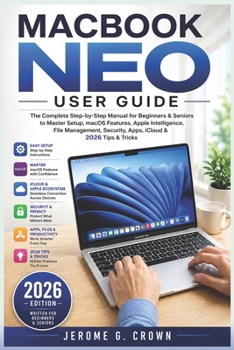
Macbook Neo User Guide: The Complete Step-by-Step Manual for Beginners & Seniors to Master Setup, macOS Features, Apple Intelligence, File Management,
No Customer Reviews

If you have just purchased the MacBook Neo or you want to finally understand how to use it with confidence, this guide is designed specifically for you. It removes confusion, eliminates technical stress, and gives you a clear path to mastering your device even if you have never used a Mac before.
Inside this book, you will learn everything you need to unlock the full potential of your MacBook Neo in a simple and practical way. Each chapter is written in easy language with step by step instructions that guide you from basic setup to advanced features.
This is not a complicated technical manual. It is a practical learning companion designed for beginners, seniors, students, professionals, and anyone who wants to use their MacBook Neo effectively without confusion.
INSIDE THIS BOOK YOU WILL DISCOVERHow to set up your MacBook Neo from scratch with zero confusionHow to power on your device and complete first time setup correctlyHow to connect to WiFi and configure internet settingsHow to sign in with Apple ID and access iCloud servicesHow to create and manage multiple user accounts safelyHow to navigate macOS with ease and confidenceHow to use Finder to organize files and folders properlyHow to download, install, and manage apps from the App StoreHow to safely install applications from the webHow to uninstall unwanted apps and free up storage spaceHow to use Spotlight Search for instant access to anything on your MacHow to use the Dock and switch between apps quicklyHow to manage windows, multitask, and improve productivityHow to customize trackpad gestures for faster navigationHow to use Siri and built in macOS tools effectivelyHow to update macOS and keep your system secureHow to protect your MacBook Neo with privacy and security settingsHow to use AirDrop to transfer files instantly between devicesHow to compress, unzip, and manage files efficientlyHow to use iCloud Drive for automatic file storage and syncingHow to back up important documents using Time MachineHow to adjust display settings for better comfort and visibilityHow to change wallpapers and personalize your Mac experienceHow to perform quick calculations using built in toolsHow to search for files, apps, emails, and information easilyHow to organize your Mac for speed, efficiency, and productivityHidden tips and tricks that improve performance and daily usagePractical troubleshooting solutions for common Mac issuesThis book is designed to help you learn faster without technical confusion. Every section is broken down into simple instructions that anyone can follow step by step.
You do not need prior experience. You do not need technical knowledge. You only need this guide and your MacBook Neo.
Whether you are setting up your device for the first time or trying to understand advanced features, this book walks you through everything at your own pace.
By the end of this guide, you will be able to confidently use your MacBook Neo, manage files, install apps, secure your device, and take full advantage of Apple features like a professional user.
Inside this book, you will learn everything you need to unlock the full potential of your MacBook Neo in a simple and practical way. Each chapter is written in easy language with step by step instructions that guide you from basic setup to advanced features.
This is not a complicated technical manual. It is a practical learning companion designed for beginners, seniors, students, professionals, and anyone who wants to use their MacBook Neo effectively without confusion.
INSIDE THIS BOOK YOU WILL DISCOVERHow to set up your MacBook Neo from scratch with zero confusionHow to power on your device and complete first time setup correctlyHow to connect to WiFi and configure internet settingsHow to sign in with Apple ID and access iCloud servicesHow to create and manage multiple user accounts safelyHow to navigate macOS with ease and confidenceHow to use Finder to organize files and folders properlyHow to download, install, and manage apps from the App StoreHow to safely install applications from the webHow to uninstall unwanted apps and free up storage spaceHow to use Spotlight Search for instant access to anything on your MacHow to use the Dock and switch between apps quicklyHow to manage windows, multitask, and improve productivityHow to customize trackpad gestures for faster navigationHow to use Siri and built in macOS tools effectivelyHow to update macOS and keep your system secureHow to protect your MacBook Neo with privacy and security settingsHow to use AirDrop to transfer files instantly between devicesHow to compress, unzip, and manage files efficientlyHow to use iCloud Drive for automatic file storage and syncingHow to back up important documents using Time MachineHow to adjust display settings for better comfort and visibilityHow to change wallpapers and personalize your Mac experienceHow to perform quick calculations using built in toolsHow to search for files, apps, emails, and information easilyHow to organize your Mac for speed, efficiency, and productivityHidden tips and tricks that improve performance and daily usagePractical troubleshooting solutions for common Mac issuesThis book is designed to help you learn faster without technical confusion. Every section is broken down into simple instructions that anyone can follow step by step.
You do not need prior experience. You do not need technical knowledge. You only need this guide and your MacBook Neo.
Whether you are setting up your device for the first time or trying to understand advanced features, this book walks you through everything at your own pace.
By the end of this guide, you will be able to confidently use your MacBook Neo, manage files, install apps, secure your device, and take full advantage of Apple features like a professional user.
Format:Paperback
Language:English
ISBN:B0GYYKYX7S
ISBN13:9798259273382
Release Date:April 2026
Publisher:Independently Published
Length:218 Pages
Weight:0.66 lbs.
Dimensions:0.5" x 6.0" x 9.0"
Customer Reviews
0 rating
Copyright © 2026 Thriftbooks.com
Terms of Use | Privacy Policy | Do Not Sell/Share My Personal Information | Cookie Policy | Cookie Preferences | Accessibility Statement
ThriftBooks ® and the ThriftBooks ® logo are registered trademarks of Thrift Books Global, LLC
ThriftBooks ® and the ThriftBooks ® logo are registered trademarks of Thrift Books Global, LLC
