


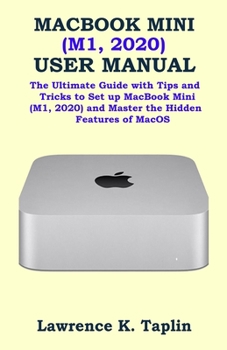
Macbook Mini (M1, 2020) User Manual: The Ultimate Guide with Tips and Tricks to Set up MacBook Mini (M1, 2020) and Master the Hidden Features of MacOS

The new version of Apple Mac Mini comes with M1 chip, which intensify the CPU performance three times faster than the previous version, according to Apple, the graphics are six times faster.
The new Mac mini supports two displays, one is up 4k resolution at 60Hz with HDMI 2.0 and one is up to 6K resolution at 60Hz connected to Thunderbolt. The Mac mini has full memory with a 2TB SSD.
The new chip, which combines with macOS Big Sur, offers improved security and privacy features. The secure enclave co-processor provides a silicon-level basis for security features such as Apple Pay. The AES Memory Encryption Engine holds the keys securely and provides good performance for encrypted storage and data protection.
This guide will teach you how to master your MacBook Mini M1 2020] very fast, this guide is ideal for both Pros and newbies.
Here are the contents of this guide:
Start searching based on the current web pageRepeat the searchSelect Last Search from the listTurn on search enginesView web pages on your another devices in Safari on your MacSee other device, open web pageClose a webpage that opens on another deviceHand off a web page between devicesSelect the web pages you want to view in Safari on your MacFind a bookmarkUse BookmarkManage bookmarksPlay web videos in Safari on your MacPlay web video on your HDTVMute audio in tabs in Safari on MacSee websites that play audioMute the audioPay with Apple Pay on Safari on MacAdd or delete a saved credit cardFill in the information from the contactsSave the reading list in Safari on the MacRead from your reading listSee downloaded itemsSave text from web pagePersonalize the active websitePersonalize other websitesControl cookie and website dataBlock pop-ups in Safari on MacAlways open windows with private browsingAvoid cross-tracking in Safari on your MacSafari troubleshooting on MacSearch is not effectiveAutoFill does not workWhat is family sharing?Hide the purchase from other family membersStop hiding buyingStop sharing your purchasesCall on FaceTime on your MacCreate your Memoji messages in Mac
Add your textRedirect email as an attachmentReply to email automaticallyRedirect EmailAsk Siri. Say something like thisPlay music CDs on your MacSelect which speakers to useIf the AirPlay device has a problemCheck the icon next to the deviceUse a music equalizerPair iTunes Remote with your home device
Scroll up and click the Buy Now button to purchase this guide:
Customer Reviews
ThriftBooks ® and the ThriftBooks ® logo are registered trademarks of Thrift Books Global, LLC
