


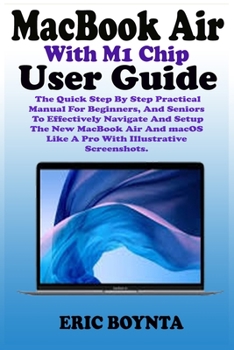
MacBook Air With M1 Chip User Guide: The Quick Step By Step Practical Manual For Beginners, And Seniors To Effectively Navigate And Setup The New MacB
No Customer Reviews

You just purchased a new MacBook Air with M1 chip and you are perplexed about getting started with your new M1 MacBook Air. Don't worry; we are poised to walk you through the process of setting up your M1 MacBook Air and navigating through other essential functions.
It also detailed about the tips of mac ergonomics, that's tips for establishing a healthy work environment.This guide includes well-illustrative pictures, step-by-step guidelines and practical examples to help you maximize your dexterity in utilizing the New MacBook Air with M1 Chip. What you will learn from this guide includes the following -Basic Functions Of Your MacBook Air -Ports On Your MacBook Air -MacBook Air Magic Keyboard With Touch ID -Keyboard Functions Of Your MacBook Air -MacBook Air Trackpad -How to Charge the MacBook Air Battery -MacBook Air Accessories -How to Connect A Bluetooth Device -How to Use the Trackpad And Keyboard -How To Set Up Your New MacBook Air M1 Chip -How to Set-Up DVD Or CD Sharing -How to Migrate Data To Your MacBook Air -How to Share Discs With DVD Or CD Parts -How to Put Your MacBook Air To Sleep Or Shut It Down -How to Turn Off Your MacBook Air -The Menu Bar, Desktop, And Help On Your Mac -Notification Center On Your Mac -Personalize Your MacBook Air -Spotlight On Your Mac -How to Turn On Siri -How to Use MacBook Air With Other Devices -Screen Time On Mac -How to use Share Families -Sidecar On Your Mac -How to Connect Your iPad -How to Mirror Your Desktop -How to Use Apple Pencil -How to Insert An Image Or A Scan -Submit A File From The Finder -Send A File From An App -Receive Articles With Airdrop -Share Passwords Stored In iCloud Keychain -How to Connect To Your Device's Peorsonal Hotspot -Check The Status Of Your Connection -How to Set Up Apple Pay -How to Configure Two-Factor Authentication For Your Apple ID -How to Make A Facetime Call -Use Facetime With A Group -Add Events And Contacts Directly From Mail -Troubleshooting Problems Of MacBook Air -Understand Ergonomics -And many more... Scroll up and tap the BUY NOW button to get this guide
It also detailed about the tips of mac ergonomics, that's tips for establishing a healthy work environment.This guide includes well-illustrative pictures, step-by-step guidelines and practical examples to help you maximize your dexterity in utilizing the New MacBook Air with M1 Chip. What you will learn from this guide includes the following -Basic Functions Of Your MacBook Air -Ports On Your MacBook Air -MacBook Air Magic Keyboard With Touch ID -Keyboard Functions Of Your MacBook Air -MacBook Air Trackpad -How to Charge the MacBook Air Battery -MacBook Air Accessories -How to Connect A Bluetooth Device -How to Use the Trackpad And Keyboard -How To Set Up Your New MacBook Air M1 Chip -How to Set-Up DVD Or CD Sharing -How to Migrate Data To Your MacBook Air -How to Share Discs With DVD Or CD Parts -How to Put Your MacBook Air To Sleep Or Shut It Down -How to Turn Off Your MacBook Air -The Menu Bar, Desktop, And Help On Your Mac -Notification Center On Your Mac -Personalize Your MacBook Air -Spotlight On Your Mac -How to Turn On Siri -How to Use MacBook Air With Other Devices -Screen Time On Mac -How to use Share Families -Sidecar On Your Mac -How to Connect Your iPad -How to Mirror Your Desktop -How to Use Apple Pencil -How to Insert An Image Or A Scan -Submit A File From The Finder -Send A File From An App -Receive Articles With Airdrop -Share Passwords Stored In iCloud Keychain -How to Connect To Your Device's Peorsonal Hotspot -Check The Status Of Your Connection -How to Set Up Apple Pay -How to Configure Two-Factor Authentication For Your Apple ID -How to Make A Facetime Call -Use Facetime With A Group -Add Events And Contacts Directly From Mail -Troubleshooting Problems Of MacBook Air -Understand Ergonomics -And many more... Scroll up and tap the BUY NOW button to get this guide
Format:Paperback
Language:English
ISBN:B0915BL8JP
ISBN13:9798728105152
Release Date:January 1
Publisher:Independently Published
Length:170 Pages
Weight:0.52 lbs.
Dimensions:0.4" x 6.0" x 9.0"
Customer Reviews
0 rating
Copyright © 2025 Thriftbooks.com
Terms of Use | Privacy Policy | Do Not Sell/Share My Personal Information | Cookie Policy | Cookie Preferences | Accessibility Statement
ThriftBooks ® and the ThriftBooks ® logo are registered trademarks of Thrift Books Global, LLC
ThriftBooks ® and the ThriftBooks ® logo are registered trademarks of Thrift Books Global, LLC
