


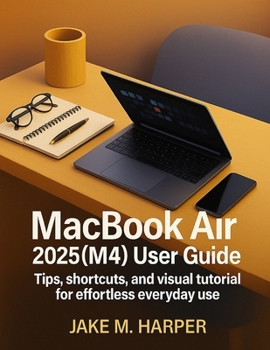
MacBook Air 2025 (M4) User Guide: Tips, Shortcuts, and Visual Tutorials for Effortless Everyday Use

This book is an independent educational guide created to assist users in understanding and operating the MacBook Air 2025 (M4 ). It is not affiliated with or endorsed by Apple Inc. All product names and trademarks are the property of their respective owners. The content in this book is for educational purposes only.
MacBook Air 2025 (M4) User Guide
Tips, Shortcuts, and Visual Tutorial for Effortless Everyday Use
By JAKE M. HARPER
Just unboxed your brand-new MacBook Air (M4, 2025 ) and not sure where to begin? Whether you're a senior, a beginner, or someone switching to macOS for the first time, this book is the perfect step-by-step companion to help you feel confident and in control-right from day one.
InterestPacked with clear instructions, visual tutorials, and helpful tips, this guide breaks down complex features into easy, digestible steps. Learn how to set up your Mac, navigate macOS, customize your desktop, manage files, and even protect yourself from online threats-all at your own pace. Every chapter is written in a friendly, non-technical tone that's easy to follow and built for real-world learning.DesireInside, you'll discover:
A smooth introduction to your MacBook's layout, ports, and controlsHow to set up Wi-Fi, Apple ID, Touch ID, and personalize your settingsTips for using the trackpad, gestures, and keyboard shortcutsSafe browsing, using iCloud, and backing up with Time MachineRecommended apps tailored for seniors and new usersHelpful FAQs, glossary, and practical images throughoutWhether you're looking to send your first email, join a video call with family, or manage your photos and documents-this guide is your go-to learning tool.
ActionStart your Mac journey with clarity and confidence.
Scroll up and grab your copy today-and enjoy a smooth, frustration-free experience with your new MacBook Air 2025.
Customer Reviews
ThriftBooks ® and the ThriftBooks ® logo are registered trademarks of Thrift Books Global, LLC
