


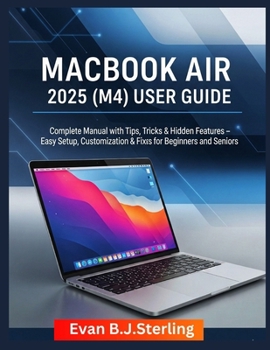
Macbook Air 2025 (M4) User Guide: Complete Manual with Tips, Tricks & Hidden Features - Easy Setup, Customization & Fixes for Beginners and Seniors
No Customer Reviews

Unlock the Full Power of Your MacBook Air 2025-Made Simple for Everyone
Just unboxed your sleek MacBook Air 2025 with the blazing-fast M4 chip? Feeling overwhelmed by macOS Sonoma's endless features or unsure how to make it work for you? Whether you're a beginner taking your first steps, a senior seeking an easy-to-use guide, or a power user ready to push your MacBook to the limit, MacBook Air 2025 (M4) User Guide is your ultimate companion to mastering your device with confidence and flair.
Why You'll Love This Guide: Struggling to set up your MacBook or navigate its interface? Dive into our step-by-step instructions for a hassle-free setup, from creating your Apple ID to customizing the Desktop, ensuring you're up and running in minutes-perfect for beginners and seniors.Frustrated by complex features or glitches? Discover practical tips to optimize battery life, troubleshoot Wi-Fi issues, and recover lost files, with clear fixes that save you time and stress.Want to personalize your MacBook to fit your life? Learn to tailor your workspace with vibrant wallpapers, interactive widgets, and accessibility features like larger text or Voice Control, making your MacBook intuitive for all ages and skill levels.Dreaming of creating stunning photos, videos, or playlists? Master creative tools like Photos, iMovie, and Apple Music, with beginner-friendly tutorials and pro-level tricks to unleash your inner artist.Need to work smarter, not harder? Uncover hidden macOS gems-Siri shortcuts, Automator workflows, and multi-monitor setups-powered by the M4 chip's speed, to boost productivity and future-proof your MacBook.What's Inside: 10 Comprehensive Chapters: From initial setup (Chapter 1) to advanced features like Siri and Voice Control (Chapter 10), this guide covers everything you need to know.Tailored for All Users: Beginners get clear, jargon-free steps; seniors find accessibility tips like voice navigation; pros unlock automation and power user secrets.Practical Solutions: Each chapter includes troubleshooting tips for common issues, like frozen apps or slow performance, plus vivid image prompts (to be included) for visual clarity.Future-Proofing Your MacBook: Learn to keep macOS updated, secure your data with Time Machine and iCloud, and connect to cutting-edge devices with Thunderbolt 5.Why This Book Stands Out: Unlike generic tech manuals, this guide is written in a warm, conversational tone, making complex features feel approachable. Every tip is backed by real-world examples, like organizing family photos or automating work tasks, ensuring relevance for your daily life. The M4 chip's power and macOS Sonoma's sleek design are demystified, so you can focus on what matters-using your MacBook to work, create, and connect.Who This Book Is For:
Beginners: Learn the basics without overwhelm, from installing apps to mastering trackpad gestures.
Seniors: Enjoy a MacBook tailored to your needs, with larger fonts, voice commands, and simple navigation.
Power Users: Push your MacBook further with advanced hacks, from Terminal commands to multi-monitor workflows.
Take Control of Your MacBook Today
Don't let your MacBook Air 2025's potential go untapped. Whether you're video-calling grandkids, editing a masterpiece, or streamlining your workday, this guide empowers you to do it all with ease. Grab your copy now, dive into the magic of macOS Sonoma, and make your MacBook uniquely yours. Plus, share your journey-leave an honest review to help others unlock their MacBook's potential
Get Started Now-Your MacBook Adventure Awaits
Just unboxed your sleek MacBook Air 2025 with the blazing-fast M4 chip? Feeling overwhelmed by macOS Sonoma's endless features or unsure how to make it work for you? Whether you're a beginner taking your first steps, a senior seeking an easy-to-use guide, or a power user ready to push your MacBook to the limit, MacBook Air 2025 (M4) User Guide is your ultimate companion to mastering your device with confidence and flair.
Why You'll Love This Guide: Struggling to set up your MacBook or navigate its interface? Dive into our step-by-step instructions for a hassle-free setup, from creating your Apple ID to customizing the Desktop, ensuring you're up and running in minutes-perfect for beginners and seniors.Frustrated by complex features or glitches? Discover practical tips to optimize battery life, troubleshoot Wi-Fi issues, and recover lost files, with clear fixes that save you time and stress.Want to personalize your MacBook to fit your life? Learn to tailor your workspace with vibrant wallpapers, interactive widgets, and accessibility features like larger text or Voice Control, making your MacBook intuitive for all ages and skill levels.Dreaming of creating stunning photos, videos, or playlists? Master creative tools like Photos, iMovie, and Apple Music, with beginner-friendly tutorials and pro-level tricks to unleash your inner artist.Need to work smarter, not harder? Uncover hidden macOS gems-Siri shortcuts, Automator workflows, and multi-monitor setups-powered by the M4 chip's speed, to boost productivity and future-proof your MacBook.What's Inside: 10 Comprehensive Chapters: From initial setup (Chapter 1) to advanced features like Siri and Voice Control (Chapter 10), this guide covers everything you need to know.Tailored for All Users: Beginners get clear, jargon-free steps; seniors find accessibility tips like voice navigation; pros unlock automation and power user secrets.Practical Solutions: Each chapter includes troubleshooting tips for common issues, like frozen apps or slow performance, plus vivid image prompts (to be included) for visual clarity.Future-Proofing Your MacBook: Learn to keep macOS updated, secure your data with Time Machine and iCloud, and connect to cutting-edge devices with Thunderbolt 5.Why This Book Stands Out: Unlike generic tech manuals, this guide is written in a warm, conversational tone, making complex features feel approachable. Every tip is backed by real-world examples, like organizing family photos or automating work tasks, ensuring relevance for your daily life. The M4 chip's power and macOS Sonoma's sleek design are demystified, so you can focus on what matters-using your MacBook to work, create, and connect.Who This Book Is For:
Beginners: Learn the basics without overwhelm, from installing apps to mastering trackpad gestures.
Seniors: Enjoy a MacBook tailored to your needs, with larger fonts, voice commands, and simple navigation.
Power Users: Push your MacBook further with advanced hacks, from Terminal commands to multi-monitor workflows.
Take Control of Your MacBook Today
Don't let your MacBook Air 2025's potential go untapped. Whether you're video-calling grandkids, editing a masterpiece, or streamlining your workday, this guide empowers you to do it all with ease. Grab your copy now, dive into the magic of macOS Sonoma, and make your MacBook uniquely yours. Plus, share your journey-leave an honest review to help others unlock their MacBook's potential
Get Started Now-Your MacBook Adventure Awaits
Format:Paperback
Language:English
ISBN:B0FPS764TV
ISBN13:9798263748869
Release Date:September 2025
Publisher:Independently Published
Length:102 Pages
Weight:0.57 lbs.
Dimensions:0.2" x 8.5" x 11.0"
Customer Reviews
0 rating
Copyright © 2026 Thriftbooks.com
Terms of Use | Privacy Policy | Do Not Sell/Share My Personal Information | Cookie Policy | Cookie Preferences | Accessibility Statement
ThriftBooks ® and the ThriftBooks ® logo are registered trademarks of Thrift Books Global, LLC
ThriftBooks ® and the ThriftBooks ® logo are registered trademarks of Thrift Books Global, LLC
