


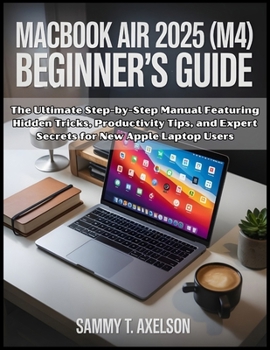
MacBook Air 2025 (M4) Beginner's Guide: The Ultimate Step-by-Step Manual Featuring Hidden Tricks, Productivity Tips, and Expert Secrets for New Apple
No Customer Reviews

MacBook Air 2025 (M4) Beginner's Guide: Unleash Your Mac's Full Power with Confidence and Ease
Are you feeling unsure about where to start with your new MacBook Air 2025 (M4)? Is setting it up, navigating macOS Sequoia, or understanding its features leaving you confused or overwhelmed?
Don't worry, you are not the only one in this situation, and the best part? You don't need to be a tech guru to enjoy all that your MacBook has to offer. This guide was created to help you unlock your MacBook's full potential, no matter your experience level. MacBook Air 2025 (M4) Beginner's Guide is designed with one purpose: to make sure you master your MacBook Air 2025 with ease, confidence, and clarity. Whether you're a first-time Mac user, switching from Windows, or simply looking to get the most out of your MacBook's latest features, this guide will take you step-by-step through everything you need to know in a way that's easy to follow and fun to learn. What you'll find inside: Quick & Easy Setup: From unboxing your MacBook to connecting to Wi-Fi, setting up your Apple ID, and navigating macOS Sequoia, we'll walk you through it all. You'll feel confident from the very start.Smooth Navigation: Master the desktop, Dock, widgets, Finder, and Safari in no time. Wave goodbye to confusion and say hello to a seamless, stress-free experience.Personalize Your MacBook: Make your MacBook truly yours by customizing everything from dark mode to accessibility features. Whether it's adjusting settings to fit your needs or setting up the perfect workspace, we've got you covered.Create with Confidence: Want to make professional-looking videos with iMovie? Edit stunning photos with Photos? Create your own music with GarageBand? This guide takes you through each tool with easy-to-follow instructions, helping you bring your creative projects to life.Advanced Features: Unlock the full potential of your MacBook with Siri Shortcuts, Stage Manager, Focus Mode, and other powerful tools. You'll learn how to streamline your workflow and boost productivity, making your MacBook Air work smarter for you.Stay Secure & Protected: Your privacy is important. We'll show you how to secure your MacBook with FileVault, set up Touch ID, and protect your data from potential threats.Maintenance & Troubleshooting: No need to worry about technical glitches or slowdowns. With easy-to-follow tips on troubleshooting, Time Machine backups, and system maintenance, you'll keep your Mac running like new for years.
Key takeaways:
☑️ A glossary of essential Mac terms
☑️A quick-reference guide for keyboard shortcuts
☑️ A setup checklist to ensure you don't miss a step
☑️macOS Terminal Commands for Power Users
This guide is not just about learning to use your Mac-it's about building confidence. With clear, jargon-free explanations and practical tips, you'll never feel lost again. By the end of this guide, you'll be using your MacBook Air like a pro, confidently navigating every feature and tool with ease. You've got this, and we're here to guide you every step of the way. Whether you're diving into the Apple ecosystem for the first time or just looking to master the basics, this book is designed to make the learning process easy, enjoyable, and empowering.
Don't let confusion stop you from unlocking the power of your MacBook. Take control of your device, boost your productivity, unleash your creativity, and enjoy all the possibilities your MacBook Air 2025 (M4) has to offer.
Ready to unlock your MacBook's full potential? Click below to start your journey today
Format:Paperback
Language:English
ISBN:B0FYQNBPLJ
ISBN13:9798272103369
Release Date:October 2025
Publisher:Independently Published
Length:160 Pages
Weight:0.85 lbs.
Dimensions:0.3" x 8.5" x 11.0"
Customer Reviews
0 rating
Copyright © 2026 Thriftbooks.com
Terms of Use | Privacy Policy | Do Not Sell/Share My Personal Information | Cookie Policy | Cookie Preferences | Accessibility Statement
ThriftBooks ® and the ThriftBooks ® logo are registered trademarks of Thrift Books Global, LLC
ThriftBooks ® and the ThriftBooks ® logo are registered trademarks of Thrift Books Global, LLC
