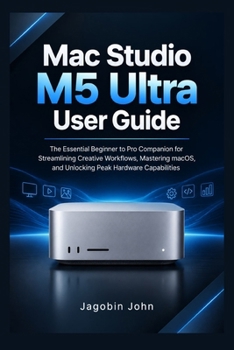
Mac Studio M5 Ultra User Guide: The Essential Beginner to Pro Companion for Streamlining Creative Workflows, Mastering macOS, and Unlocking Peak Hardw

Unlock the power of your Mac Studio M5 Ultra with a practical, easy-to-understand guide designed to help you get started, work smarter, and make the most of your desktop computer. Whether you are a first-time Mac user, a creative professional, a developer, or an experienced Apple user, this guide will help you understand essential features, personalize your workspace, and build confidence using macOS.
From initial setup and system preferences to productivity tools, file management, security, and troubleshooting, discover clear instructions that make everyday tasks easier. Learn how to organize your workflow, connect accessories, manage applications, and understand the tools available for demanding creative and professional projects.
Inside this guide, you will discover how to:
Set Up Your Mac with Confidence: Learn the essential steps for initial configuration, Apple Account sign-in, system preferences, and personalization.
Master macOS Essentials: Understand the desktop, Dock, Finder, menus, windows, and useful keyboard shortcuts.
Improve Your Productivity: Organize files, manage applications, use multitasking features, and create a more efficient daily workflow.
Explore Performance and Hardware: Understand processor, graphics, memory, and storage concepts, and learn how to manage demanding workloads effectively.
Connect Displays and Accessories: Learn the basics of connecting compatible monitors, external drives, keyboards, mice, and other peripherals.
Discover Creative and Professional Workflows: Explore practical ways to organize video editing, graphic design, software development, and other resource-intensive projects.
Strengthen Privacy and Security: Learn about system updates, privacy settings, backups, account protection, and safer everyday computing.
Solve Common Problems: Find practical troubleshooting guidance for connectivity issues, storage limitations, application problems, and other everyday challenges.
Why Choose This Guide?
You do not need to be a technology expert to get more from your Mac. With straightforward explanations, practical instructions, and an easy-to-follow approach, this guide helps you spend less time figuring things out and more time focusing on what matters.
Whether you are setting up your first Mac Studio or looking to improve an existing workflow, you will have a useful reference to return to whenever questions arise.
Take Control of Your Mac Studio Experience Today
Stop guessing your way through settings and features. Get the Mac Studio M5 Ultra User Guide and build the knowledge you need to use your computer with greater confidence, efficiency, and control. Add this guide to your library today and start making more of your Mac Studio
Independent third-party guide. Not affiliated with or endorsed by Apple Inc.
Customer Reviews
ThriftBooks ® and the ThriftBooks ® logo are registered trademarks of Thrift Books Global, LLC