


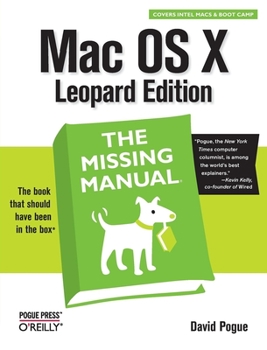
Mac OS X Leopard: The Missing Manual

Select Format
Select Condition 
Book Overview
With Leopard, Apple has unleashed the greatest version of Mac OS X yet, and David Pogue is back with another meticulous Missing Manual to cover the operating system with a wealth of detail. The new Mac OS X 10.5, better known as Leopard, is faster than its predecessors, but nothing's too fast for Pogue and this Missing Manual. It's just one of reasons this is the most popular computer book of all time.
Mac OS X: The Missing Manual, Leopard Edition is the authoritative book for Mac users of all technical levels and experience. If you're new to the Mac, this book gives you a crystal-clear, jargon-free introduction to the Dock, the Mac OS X folder structure, and the Mail application. There are also mini-manuals on iLife applications such as iMovie, iDVD, and iPhoto, and a tutorial for Safari, Mac's web browser.
This Missing Manual is amusing and fun to read, but Pogue doesn't take his subject lightly. Which new Leopard features work well and which do not? What should you look for? What should you avoid? Mac OS X: The Missing Manual, Leopard Edition offers an objective and straightforward instruction for using: Leopard's totally revamped Finder Spaces to group your windows and organize your Mac tasks Quick Look to view files before you open them The Time Machine, Leopard's new backup feature Spotlight to search for and find anything in your Mac Front Row, a new way to enjoy music, photos, and videos Enhanced Parental Controls that come with Leopard Quick tips for setting up and configuring your Mac to make it your own There's something new on practically every page of this new edition, and David Pogue brings his celebrated wit and expertise to every one of them. Mac's brought a new cat to town and Mac OS X: The Missing Manual, Leopard Edition is a great new way to tame it.
Mac OS X: The Missing Manual, Leopard Edition is the authoritative book for Mac users of all technical levels and experience. If you're new to the Mac, this book gives you a crystal-clear, jargon-free introduction to the Dock, the Mac OS X folder structure, and the Mail application. There are also mini-manuals on iLife applications such as iMovie, iDVD, and iPhoto, and a tutorial for Safari, Mac's web browser.
This Missing Manual is amusing and fun to read, but Pogue doesn't take his subject lightly. Which new Leopard features work well and which do not? What should you look for? What should you avoid? Mac OS X: The Missing Manual, Leopard Edition offers an objective and straightforward instruction for using: Leopard's totally revamped Finder Spaces to group your windows and organize your Mac tasks Quick Look to view files before you open them The Time Machine, Leopard's new backup feature Spotlight to search for and find anything in your Mac Front Row, a new way to enjoy music, photos, and videos Enhanced Parental Controls that come with Leopard Quick tips for setting up and configuring your Mac to make it your own There's something new on practically every page of this new edition, and David Pogue brings his celebrated wit and expertise to every one of them. Mac's brought a new cat to town and Mac OS X: The Missing Manual, Leopard Edition is a great new way to tame it.
Format:Paperback
Language:English
ISBN:059652952X
ISBN13:9780596529529
Release Date:December 2007
Publisher:O'Reilly Media
Length:910 Pages
Weight:3.25 lbs.
Dimensions:1.7" x 7.0" x 9.1"
Customer Reviews
5 ratings
Best Way To Learn OS X Leopard!
Published by Thriftbooks.com User , 17 years ago
'Mac OS X Leopard: The Missing Manual' by David Pogue is another home run of an effort from the Missing Manual series, this one written by David Pogue himself. The thing I love most about the Missing Manual series is how incredibly USABLE these books are. Whether you are an experienced user or new to the topic being discussed, you can pick up a MM book with confidence that you are getting your money's worth and that you WILL learn by reading these books. I can't stress this enough... there are lots of books on the shelves available to readers, but if you want top notch content at one of the fairest price points in the industry, BUY THESE BOOKS!! Having said that, there is a lot of new features in Mac OS X Leopard that truly deserve a new text to discuss and show them off. From the wonderful main layout to things like the new backup features in Leopard, this is one of the greatest operating systems ever created and now you can learn to do the most with it! If you are a new Mac user or simply want to find out all the new goodies that you can get out of this OS upgrade, pick up this book. Read it, learn from it, and most of all... SAVOR the contents!! OK enough of reading this review, go get the book, if you aren't happy with it you can contact me and give me your piece of mind! ***** HIGHEST POSSIBLE RECOMMENDATION
No better Manual for OS X Leopard
Published by Thriftbooks.com User , 18 years ago
The preeminent general reference source for Mac OS 10 has always been the "Missing Manual Series" written by David Pogue. The latest iteration in the series is its Mac OS 10 Leopard Edition, completely revised, and it is the biggest, most comprehensive, and most useful of all the editions in the series. It covers the OS X desktop and file system, the free applications included with the OS X installation, the system components and technologies, networking and online features and components, and includes welcome appendices on installation, troubleshooting, Windows/Mac comparisons, and a "Master Keystroke" list. Every one of the editions has been exceedingly well-designed and written combining serious treatment of subject content with style, wit, and humor, as well as honest evaluation and critique of features of the Mac operating system. All of the OS X Missing Manuals have addressed issues for a broad range of users, from the lightly experienced, the intermediate, and for power users. For the most part, however, the primary focus of each edition has been on the less experienced users. This has changed with the Leopard edition. There seems to have been a deliberate effort to make the book more appealing and useful to upper-end users without losing any utility at all for others. There seems to be more material for power users- -there are more "Power Users Guides" providing advanced information and techniques, more UNIX references for those willing and able to take avail of the UNIX kernel underlying the operating system, more identifications of keyboard shortcuts, and more disclosure of undocumented and advanced features than in previous editions. For example, Pogue itemizes and describes at least 20 UNIX utilities that only power users would want to use, explains how to configure preferences for the Terminal application, explains how to deal with the file and folder permissions system using UNIX commands, and even notes the existence of the venerable "Eliza" therapist emulator program hidden in a part of the emacs text editor. At each juncture of describing operating system features, Pogue explains from the perspective of different levels of users, including the power user, like himself. Unlike in many other books purporting to cover a broad range of users, this one does not short on the higher-end. This is all well and good as casual users are still widely well-taken care of by the thorough and well-organized explanations of nearly every feature of OS 10.5. The book is illustrated profusely with screenshots of system features, configuration processes, comparison of the Mac OS X versions, comparisons of Mac OS X to Windows features, and more. Nearly every page is loaded with "Tips," "Notes," FAQ's, lists, tables, and sidebars. Throughout, there are nuggets of insight and technical arcana that even Mac veterans will be surprised to learn about. I learned, for example, that the one-button Apple Mighty Mouse has a secret 2-but
Excellent!
Published by Thriftbooks.com User , 18 years ago
David Pogue writes well, but what's special about this is that it covers details that most authors wouldn't bother with. I've been a Mac OS X user since 2003, and upgraded to Leopard the moment it was available and yet I was absolutely astonished by how much I learned - this is just packed with tips! As an old Unix hand, I was happy to see that David included an excellent chapter on Terminal and Unix in general; too many Mac books ignore the Unix underpinnings or gloss over it. Definitely recommended for anyone using Leopard.
My iMac should have come with this manual
Published by Thriftbooks.com User , 18 years ago
As a new iMac owner and a refugee from the Windows world, I've found this book to be invaluable for figuring out the inner workings of my new machine. I originally thought that I wouldn't need a book, that everything would be intuitive and easy to understand. But there are some things that you just need a book for, learning the keyboard shortcuts, what each application does, what the file structure looks like, etc. This book is very entertaining and fun to read. Pogue has a good sense of humor and does a great job pointing out the features of this OS. I've found countless "Oh, that's how you do it!" tips so far, from the mundane "How do you right-click?" to the expert "How do I share the network with my Windows XP, Vista, and various Linux machines?" He covers it all--and I mean ALL. I can't recommend this book highly enough, especially for new computer users and those of us switching from Windows machines. I'm Windows, Unix, and Linux certified up the wazoo, and even I needed this book to get me going. There are so very many tips and tricks that you will learn--things that make sense and which enhance your experience with this well-crafted OS. Every penny spent on this book will have been well worth it.
Another great book from Pogue press
Published by Thriftbooks.com User , 18 years ago
Pogues' books on Mac keep getting better and better. This book covers all of the features in Leopard in detail. For those that have used Tiger the missing manual will not be disappointed at all by this book. For the new Mac user this book covers all of the essentials to get started. It also gives you the tools to go in depth with Leopard. For the experienced Mac users there is still so much valuable information here to make it well worth the purchase. All of the applications that come with Tiger are covered in good detail. Dash board, Spotlight, Apple remote desktop, Sherlock, iTunes, iSync, iChat .Mac, Safari RSS for internet feeds, iDVD, iChat, iPhoto, iCal, iMic, iMovie, iDisk, iSync and iTunes, Apple Script and Image Capture to name a few. Also covered in detail is converting from Windows to Mac for the new Mac user. Creating user accounts is covered along with file and directory permissions, configuring the user environment and user preferences, passwords and other elements of security. The Intel chip set is covered in detail. There are a myriad of new features and features that have been changed or have been enhanced. There are so many new features that are not intuitive in Leopard. This book helps you through these with ease. Throughout the book there are There are lots of well placed screen shots to guide you. The book is methodically laid out in an order that makes sense. It is filled with tips and how to's. For the user coming from Windows to Mac this book will be a tremendous help. It will really simplify things that could be fairly daunting. Even for the veteran Mac user this book will be very handy. There are several informational snippets: Power user's guide: Explains the more technical details of the subject being described. Frequently asked questions: This is pretty self explanatory. Work around workshop: These sections detail why you can't do something but then gives you a work around. Gem in the rough: Shows you how to share with other Mac and non Mac machines. Up to speed: These sections walk you through speeding up your machine and various applications. Not quite as much humor in this book as with other books in the Missing manual series perhaps because of the depth and breadth of the material covered. As with all Pogue press books this is very easy read. It is detailed but not cumbersome. There are so many new features in Leopard that this book is a must. Pogue press consistently produces the best Mac books and this is no exception. 5 Stars for the Beginner to intermediate user 4 stars for the advanced user.
Copyright © 2025 Thriftbooks.com
Terms of Use | Privacy Policy | Do Not Sell/Share My Personal Information | Cookie Policy | Cookie Preferences | Accessibility Statement
ThriftBooks ® and the ThriftBooks ® logo are registered trademarks of Thrift Books Global, LLC
ThriftBooks ® and the ThriftBooks ® logo are registered trademarks of Thrift Books Global, LLC
