


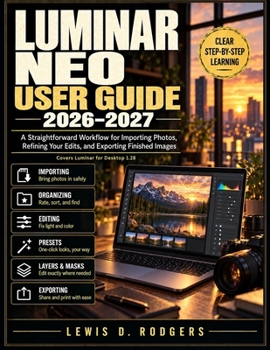
Luminar Neo User Guide 2026–2027: A Straightforward Workflow for Importing Photos, Refining Your Edits, and Exporting Finished Images
No Customer Reviews

Luminar can do a great deal, but every tutorial seems to show a different screen. This guide follows the path a photo actually takes: bring it in, organize it, edit it, and export it. Every step names the buttons exactly as they appear in Luminar for Desktop Version 1.28 (the Summer 2026 release of the program formerly sold as Luminar Neo), so you can match the page to your screen. Each task is a numbered procedure with one action per step, a clear expected result, and a note on what to try if your screen looks different. You do not need any photography or editing experience. What you will learn: Install, activate, and find your way around the one-screen workspaceAdd folders, import from a memory card, rate and flag photos, and back up your catalogFix light and color with Develop, Enhance AI, Crop, and the AI AssistantImprove landscapes with Sky AI, Atmosphere AI, and Dodge & Burn, and retouch portraits with restraintSave presets and sync edits across a whole set of photosUse layers, masks, GenErase, Upscale, HDR Merge, and Panorama StitchingExport for web, print, and archive, and work with Photoshop, Lightroom Classic, and Photos for macOSInside you will find nine task-based chapters, 29 numbered figures with callout tables, a quick reference card, a full keyboard shortcut list, a troubleshooting index, a glossary, and an index of interface names. This is an independent guide. It is not affiliated with, endorsed by, or sponsored by Skylum. Luminar and Luminar Neo are trademarks of their owner and are used only to identify the software.
Format:Paperback
Language:English
ISBN:B0HNWJDNHX
ISBN13:9798164364267
Release Date:October 2026
Publisher:Independently published
Length:118 Pages
Weight:0.65 lbs.
Dimensions:11.0" x 0.3" x 8.5"
Customer Reviews
0 rating
Copyright © 2026 Thriftbooks.com
Terms of Use | Privacy Policy | Do Not Sell/Share My Personal Information | Cookie Notice | Cookie Preferences | Accessibility Statement
ThriftBooks ® and the ThriftBooks ® logo are registered trademarks of Thrift Books Global, LLC
ThriftBooks ® and the ThriftBooks ® logo are registered trademarks of Thrift Books Global, LLC
