


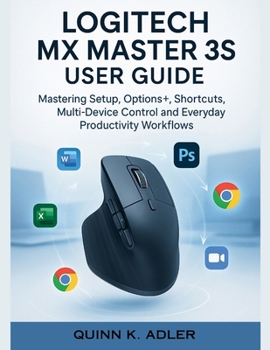
Logitech MX Master 3S User Guide: Mastering Setup, Options+, Shortcuts, Multi-Device Control and Everyday Productivity Workflows
No Customer Reviews

Unlock the full potential of your Logitech MX Master 3S - the mouse designed for productivity, creativity, and seamless multi-device control. Whether you're a beginner just unboxing your device or a professional seeking advanced shortcuts, this step-by-step user guide is your ultimate companion. Inside, you'll discover: ✅ Effortless Setup - Learn how to unbox, pair, and configure your MX Master 3S on Windows, macOS, and tablets in minutes. ✅ Options+ Mastery - Unlock hidden customization features, from button remaps to app-specific profiles tailored for Word, Excel, Photoshop, Chrome, and more. ✅ Gesture Button Secrets - Harness advanced multi-directional gestures to control apps, manage windows, and streamline workflows with one press. ✅ Multi-Device Control - Seamlessly switch between up to 3 devices or use Logitech Flow to copy and paste files across computers. ✅ Everyday Productivity Workflows - Practical, real-world tips for writers, designers, coders, managers, and students. ✅ Ergonomics & Care - Expert advice on comfort, posture, and maintenance to prevent wrist strain and extend your mouse's lifespan. ✅ Troubleshooting Made Simple - Quick fixes and flowcharts to resolve connection drops, battery issues, and software glitches instantly. Why This Guide? Unlike generic manuals, this book blends professional IT training expertise with real-world workflows. You won't just learn what each button does - you'll discover how to make it save you time, reduce strain, and boost productivity every single day. Whether you're a remote worker, creative professional, student, or manager, this book ensures you stop using your MX Master 3S as "just another mouse" - and start using it as a true productivity hub.
Format:Paperback
Language:English
ISBN:B0FQ47NRFR
ISBN13:9798264191107
Release Date:September 2025
Publisher:Independently Published
Length:108 Pages
Weight:0.59 lbs.
Dimensions:0.2" x 8.5" x 11.0"
Customer Reviews
0 rating
Copyright © 2026 Thriftbooks.com Terms of Use
| Privacy Policy | Do Not
Sell/Share My Personal Information | Cookie Policy | Cookie Preferences | Accessibility Statement
ThriftBooks® and the ThriftBooks® logo are registered trademarks of Thrift Books Global, LLC
ThriftBooks® and the ThriftBooks® logo are registered trademarks of Thrift Books Global, LLC
