


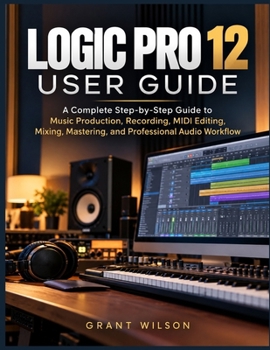
Logic Pro 12 User Guide: A Complete Step-by-Step Guide to Music Production, Recording, MIDI Editing, Mixing, Mastering, and Professional Audio Workflo

Are you struggling to turn your musical ideas into complete songs because your recording software feels too complicated?
Do confusing tracks, virtual instruments, sound settings, and technical controls make it difficult to achieve the results you want?
Would you love to record clear vocals, create powerful beats, improve your mixes, and finish polished tracks without spending hours searching for answers?
Turn your musical ideas into finished tracks with confidence
Logic Pro 12 User Guide is a practical, beginner-friendly learning resource designed to help aspiring producers, songwriters, musicians, home studio owners, and audio enthusiasts develop essential creative and technical skills.
Whether you're opening the application for the first time or looking to strengthen your existing techniques, this comprehensive handbook walks you through the entire creative process-from initial setup and songwriting to final sound preparation and delivery.
Through clear explanations, structured lessons, practical exercises, and real-world projects, you'll learn how to make better creative decisions while developing a more organized and efficient studio routine.
Inside This Book, You'll Discover How To:
Set up your home studio: Install the application, configure your equipment, connect microphones and keyboards, and adjust important performance settings.
Navigate with confidence: Understand tracks, regions, editors, the mixer, keyboard shortcuts, and essential workspace controls.
Capture better performances: Record vocals, guitars, and other instruments while managing input levels, multiple takes, monitoring, and latency.
Build beats and melodies: Create drum patterns, bass lines, chord progressions, and expressive instrumental arrangements using virtual instruments.
Explore powerful creative tools: Work with synthesizers, samplers, loops, Session Players, and sound libraries to develop distinctive musical ideas.
Refine every performance: Correct timing, adjust vocal pitch, trim unwanted sections, create smooth edits, and clean up recordings.
Arrange complete songs: Structure introductions, verses, choruses, transitions, and endings that keep listeners engaged.
Improve sound quality: Apply equalization, compression, reverb, delay, stereo positioning, and creative processing techniques.
Achieve more balanced mixes: Organize channel strips, manage signal routing, use automation, and create clarity between instruments.
Prepare finished tracks: Understand mastering chains, loudness, export formats, file organization, and collaboration requirements.
Solve common studio problems: Address unwanted noise, performance slowdowns, missing files, connection difficulties, and unstable playback.
Learn by Creating Complete Projects
The book includes 15 progressively structured chapters and four major hands-on projects covering a complete song, an electronic track, a vocal session, and a dedicated mixing session.
Each project helps you connect individual techniques into a practical process you can apply to your own creative work.
Whether your goal is to produce your first demo, improve home recordings, develop electronic tracks, or build a more dependable studio routine, this handbook provides a clear path from experimentation to more confident results.
Stop letting complicated controls interrupt your creativity. Start bringing your musical ideas to life, one track at a time
Customer Reviews
ThriftBooks ® and the ThriftBooks ® logo are registered trademarks of Thrift Books Global, LLC
