


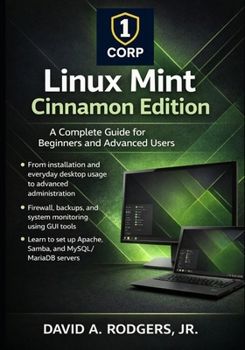
Linux Mint Cinnamon Edition: A Complete Guide for Beginners and Advanced Users

Master Linux Mint Cinnamon from first install to advanced system administration, without relying on the command line.
Linux Mint Cinnamon Edition is one of the most popular Linux desktop environments in the world, trusted by beginners, professionals, developers, and educators alike. This comprehensive guide takes you step-by-step from installation and daily desktop use to advanced system configuration, security, backups, customization, and even server setup, all using graphical tools whenever possible.
Designed for both beginners and experienced users, this book starts with a clear, practical quick start and steadily builds toward expert-level skills without assuming prior Linux knowledge.
What you'll learn inside:Installing Linux Mint Cinnamon from USB or DVD
Post-installation setup, drivers, updates, and system snapshots
Everyday desktop usage with the Cinnamon interface
File management with Nemo and GUI-based permission control
Editing system configuration files safely using graphical tools
Monitoring CPU, memory, storage, and system performance
Enabling and managing the firewall (GUFW)
Backups with Timeshift and Mint's Backup Tool
Deep desktop customization: themes, applets, desklets, panels
Setting up Apache, Samba, and MySQL/MariaDB servers
Managing users, groups, and administrative access
Best practices for stability, security, and long-term maintenance
Why this book is different:Unlike most Linux books that rely heavily on terminal commands, this guide focuses on real-world usability, showing how to accomplish powerful tasks using Linux Mint's built-in graphical tools. Terminal commands are introduced only when truly necessary and always explained clearly.
Whether you are:
Switching from Windows or macOS
Setting up a home or small-office Linux system
Learning Linux for education or professional development
Using Linux Mint as a desktop, server, or both
This book provides a complete, structured path from beginner to advanced user - all in one volume.
No fluff. No shortcuts. Just practical Linux mastery.
Customer Reviews
ThriftBooks® and the ThriftBooks® logo are registered trademarks of Thrift Books Global, LLC
