


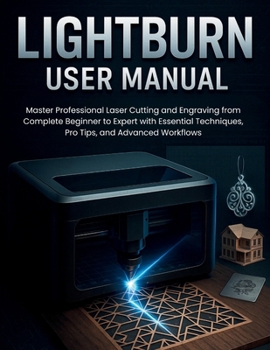
Lightburn User Manual: Master Professional Laser Cutting and Engraving from Complete Beginner to Expert with Essential Techniques, Pro Tips, and Advan
No Customer Reviews

Transform Your Laser Cutting Journey from Beginner Confusion to Professional Mastery Whether you're just unboxing your first laser cutter or looking to elevate your existing skills to professional levels, this comprehensive LightBurn User Guide is your complete roadmap to laser cutting and engraving excellence. Written for beginners but packed with advanced techniques that even experienced users will find invaluable, this guide eliminates the guesswork and frustration from laser cutting, replacing it with confidence, precision, and professional-quality results. What This Guide Will Help You Achieve:
This isn't just another software manual - it's your complete transformation system that takes you from uncertain beginner to confident laser cutting professional. You'll master not just the software, but the entire craft of precision laser operations, from understanding your equipment to optimizing complex production workflows. Inside This Guide, You'll Discover: Complete LightBurn Mastery - From installation and setup to advanced features most users never discoverProfessional Setup Techniques - How to configure any laser system for optimal performance and reliabilityInterface Mastery Secrets - Navigate LightBurn like a pro with hidden shortcuts and workflow optimizationsDesign Creation Mastery - Create stunning artwork directly in LightBurn or seamlessly import from any design softwareAdvanced Editing Techniques - Boolean operations, node editing, and path manipulation that separate amateurs from professionalsLayer Management Systems - Organize complex projects with sophisticated layer strategies and sub-layer techniquesMaterial Libraries and Settings - Build comprehensive material databases for consistent, repeatable resultsCamera Setup and Alignment - Precision positioning techniques that eliminate guesswork and wastePrint and Cut Registration - Professional-grade alignment between printed graphics and laser cutsVariable Text and Serialization - Automate numbering, personalization, and data-driven productionCut Path Optimization - Reduce processing time while improving quality through intelligent path planning3D Engraving and Relief Work - Create stunning sculptural effects that showcase advanced laser capabilitiesProduction Workflow Development - Scale from single pieces to efficient batch processing and manufacturingAdvanced Troubleshooting - Systematic problem-solving approaches that get you back to productive work quicklyIntegration Strategies - Connect LightBurn with CAD software, graphics applications, and production systems Why This Guide Is Different:
Unlike basic tutorials that show you what buttons to click, this guide teaches you why those buttons exist and when to use them for optimal results. You'll develop the systematic thinking and problem-solving approach that distinguishes professional operators from casual users, enabling you to tackle any project with confidence and achieve consistent, high-quality results. Start Your Transformation Today
Your laser cutting potential is waiting to be unlocked. This guide provides everything you need to transform from hesitant beginner to confident professional, with clear explanations, practical examples, and proven techniques that deliver real results. Stop struggling with trial-and-error approaches and start creating with the precision and efficiency that define professional laser cutting operations.
GRAB YOUR COPY NOW
This isn't just another software manual - it's your complete transformation system that takes you from uncertain beginner to confident laser cutting professional. You'll master not just the software, but the entire craft of precision laser operations, from understanding your equipment to optimizing complex production workflows. Inside This Guide, You'll Discover: Complete LightBurn Mastery - From installation and setup to advanced features most users never discoverProfessional Setup Techniques - How to configure any laser system for optimal performance and reliabilityInterface Mastery Secrets - Navigate LightBurn like a pro with hidden shortcuts and workflow optimizationsDesign Creation Mastery - Create stunning artwork directly in LightBurn or seamlessly import from any design softwareAdvanced Editing Techniques - Boolean operations, node editing, and path manipulation that separate amateurs from professionalsLayer Management Systems - Organize complex projects with sophisticated layer strategies and sub-layer techniquesMaterial Libraries and Settings - Build comprehensive material databases for consistent, repeatable resultsCamera Setup and Alignment - Precision positioning techniques that eliminate guesswork and wastePrint and Cut Registration - Professional-grade alignment between printed graphics and laser cutsVariable Text and Serialization - Automate numbering, personalization, and data-driven productionCut Path Optimization - Reduce processing time while improving quality through intelligent path planning3D Engraving and Relief Work - Create stunning sculptural effects that showcase advanced laser capabilitiesProduction Workflow Development - Scale from single pieces to efficient batch processing and manufacturingAdvanced Troubleshooting - Systematic problem-solving approaches that get you back to productive work quicklyIntegration Strategies - Connect LightBurn with CAD software, graphics applications, and production systems Why This Guide Is Different:
Unlike basic tutorials that show you what buttons to click, this guide teaches you why those buttons exist and when to use them for optimal results. You'll develop the systematic thinking and problem-solving approach that distinguishes professional operators from casual users, enabling you to tackle any project with confidence and achieve consistent, high-quality results. Start Your Transformation Today
Your laser cutting potential is waiting to be unlocked. This guide provides everything you need to transform from hesitant beginner to confident professional, with clear explanations, practical examples, and proven techniques that deliver real results. Stop struggling with trial-and-error approaches and start creating with the precision and efficiency that define professional laser cutting operations.
GRAB YOUR COPY NOW
Format:Paperback
Language:English
ISBN:B0FLRB86G1
ISBN13:9798297074644
Release Date:August 2025
Publisher:Independently Published
Length:126 Pages
Weight:0.68 lbs.
Dimensions:0.3" x 8.5" x 11.0"
Customer Reviews
0 rating
Copyright © 2026 Thriftbooks.com Terms of Use
| Privacy Policy | Do Not
Sell/Share My Personal Information | Cookie Policy | Cookie Preferences | Accessibility Statement
ThriftBooks® and the ThriftBooks® logo are registered trademarks of Thrift Books Global, LLC
ThriftBooks® and the ThriftBooks® logo are registered trademarks of Thrift Books Global, LLC
