


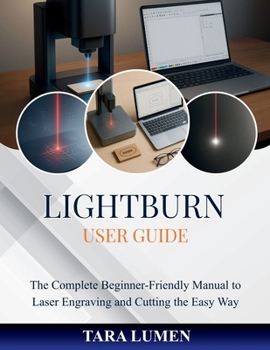
LightBurn User Guide: The Complete Beginner-Friendly Manual to Laser Engraving and Cutting the Easy Way

This publication is an independent educational resource and is not affiliated with or endorsed by LightBurn Software Ltd. All product names and trademarks belong to their respective owners.
Are you new to laser engraving or struggling to understand LightBurn's menus and tools?The LightBurn User Guide is your step-by-step companion to mastering one of the most popular laser software programs - written in plain, easy-to-follow English for beginners, seniors, and everyday users.
This guide turns complex settings into clear instructions you can apply immediately. Each chapter walks you through setup, design, engraving, and troubleshooting using real-world language - no jargon, no confusion. Whether you're working with a diode, CO₂, or fiber laser, you'll learn how to navigate confidently, avoid costly mistakes, and produce clean, professional results from day one.
Inside you'll learn how to:
Install and connect LightBurn safely with any supported laser device
Create, align, and edit designs using layers, speed, and power controls
Choose the right settings for wood, acrylic, leather, and metal
Preview and optimize jobs before pressing "Start"
Solve common connection and cutting issues quickly
Build confidence through practical exercises and tested workflows
Perfect for hobbyists, crafters, educators, and small-business owners, this book helps you develop real engraving skills - not just follow screenshots. It focuses on clarity, accuracy, and results, giving you the confidence to design independently and creatively.
Equip yourself with the knowledge to use LightBurn safely and effectively.
Get your copy of the LightBurn User Guide today and start mastering laser engraving the easy, reliable way.
Customer Reviews
ThriftBooks ® and the ThriftBooks ® logo are registered trademarks of Thrift Books Global, LLC
