
Skip to content
Scan a barcode
Scan
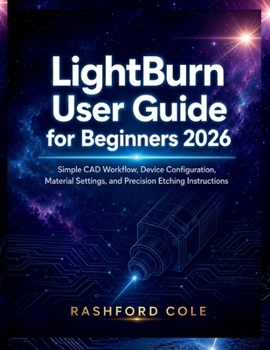
Paperback LightBurn User Guide for Beginners 2026: Simple CAD Workflow, Device Configuration, Material Settings, and Precision Etching Instructions Book

ISBN: B0H2QYW87C

ISBN13: 9798198187122

LightBurn User Guide for Beginners 2026: Simple CAD Workflow, Device Configuration, Material Settings, and Precision Etching Instructions

DISCLAIMER

This user guide is an independent publication created strictly for educational, instructional, and reference purposes. It is not affiliated with, endorsed by, sponsored by, or officially connected to the developers of LightBurn software or any laser machine manufacturer mentioned within this guide. All product names, trademarks, logos, and brand names referenced throughout this book remain the property of their respective owners and are used solely for identification and educational discussion.This guide is designed to support learning and practical understanding but does not replace the official software documentation, manufacturer manuals, technical certifications, or professional safety training where required.

LEARN LIGHTBURN WITH CONFIDENCE - EVEN IF YOU ARE A COMPLETE BEGINNER

Have you ever opened LightBurn and immediately felt overwhelmed by the interface, settings, layers, laser controls, and endless technical options?

Do terms like raster engraving, power settings, device profiles, offsets, line intervals, rotary setup, and CAD workflow feel confusing or intimidating?

You are not alone.

Many beginners purchase laser machines with excitement, only to realize that learning the software can feel far more difficult than expected. Instead of creating professional projects immediately, they struggle with poor cuts, blurry engraving, failed settings, alignment issues, wasted materials, and frustrating trial-and-error workflows.

WHAT YOU WILL DISCOVER INSIDEHow to properly install, configure, and organize LightBurn for maximum efficiencyUnderstanding the complete LightBurn interface without confusionProfessional CAD workflow techniques for laser design projectsHow to connect and configure CO2, diode, and fiber laser machines correctlyMaterial settings for wood, acrylic, leather, cardboard, glass, metal, and morePrecision engraving and etching techniques for sharper, cleaner resultsGrayscale engraving, photo engraving, and image optimization methodsHow to improve cutting quality while reducing burn marks and material damageProfessional layer management and workflow organization strategiesCamera alignment, print-and-cut workflow, and rotary engraving setupTime-saving production techniques used by experienced laser operatorsTroubleshooting solutions for alignment errors, skipped steps, poor engraving, and machine communication issuesMaintenance routines that improve machine lifespan and production reliabilityReal-world laser projects including signs, layered artwork, jewelry, branding products, personalized gifts, packaging, and commercial applicationsHow to organize projects, templates, settings libraries, and production workflows professionallyBeginner mistakes to avoid and practical solutions that save time, materials, and frustrationLong-term strategies for mastering LightBurn and building real laser production confidence
Get your copy now and begin creating cleaner engravings, sharper cuts, smarter workflows, and professional laser projects with clarity and precision.

Recommended

Format: Paperback

Condition: New

$19.99
Ships within 2-3 days
Save to List

Customer Reviews

0 rating
Copyright © 2026 Thriftbooks.com Terms of Use | Privacy Policy | Do Not Sell/Share My Personal Information | Cookie Policy | Cookie Preferences | Accessibility Statement
ThriftBooks ® and the ThriftBooks ® logo are registered trademarks of Thrift Books Global, LLC

GoDaddy Verified and Secured