


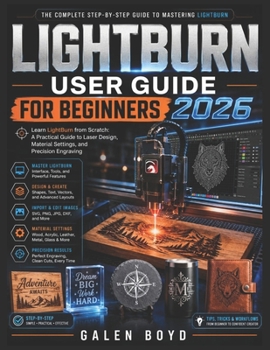
Lightburn User Guide for Beginners 2026: Learn LightBurn from Scratch: A Practical Guide to Laser Design, Material Settings, and Precision Engraving

Learn LightBurn from Scratch: A Practical Guide to Laser Design, Material Settings, and Precision Engraving is your complete step-by-step beginner's manual designed to help you confidently master LightBurn software and unlock the full potential of your laser engraving machine.
Whether you own a CO₂ laser, diode laser, fiber laser, or galvo system, this practical guide walks you through the entire workflow in simple, beginner-friendly language-no advanced technical experience required.
Inside this comprehensive guide, you will discover how to:
Install and set up LightBurn correctly on Windows, macOS, and LinuxConnect and configure popular laser machines and controllersUnderstand the LightBurn interface and workflow with confidenceCreate professional laser-ready designs from scratchWork with shapes, drawing tools, typography, and text effectsImport and edit SVG, PNG, JPG, DXF, and AI filesConvert images for high-quality laser engravingMaster layers, speed, power, DPI, and cut settingsOptimize engraving and cutting settings for wood, acrylic, leather, glass, slate, and moreCreate cleaner engravings while reducing burns, charring, and failed cutsUse material test grids for precise and repeatable resultsImprove workflow efficiency with presets, alignment tools, and organization strategiesBuild confidence through practical techniques used by experienced laser usersUnlike confusing online tutorials that skip important steps or assume prior experience, this book is written specifically for beginners who want a clear, structured, and practical learning experience.
With easy-to-follow explanations, real-world tips, and beginner-friendly guidance, this book helps you avoid costly mistakes while developing the skills needed to create professional-quality laser engraving and cutting projects.
Whether your goal is to:
Start a laser engraving businessCreate personalized gifts and d corDesign custom productsImprove your creative skillsOr simply enjoy a rewarding new hobbythis guide gives you the knowledge and confidence to move forward successfully.
Your laser machine is capable of far more than you think-and with the right guidance, so are you.
Take the next step in your laser engraving journey today and discover how to design, engrave, cut, and create with confidence using LightBurn 2026.
Customer Reviews
ThriftBooks ® and the ThriftBooks ® logo are registered trademarks of Thrift Books Global, LLC
