


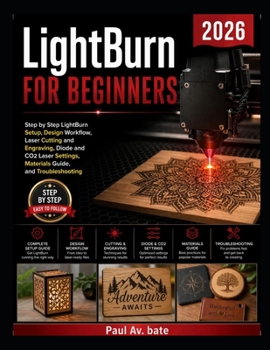
LightBurn for Beginners 2026: Step by Step LightBurn Setup, Design Workflow, Laser Cutting and Engraving, Diode and CO2 Laser Settings, Materials Guid

This book is a practical guide to mastering LightBurn and laser machines from the ground up. It focuses on real use, not theory. You learn by doing, with clear steps that follow how a beginner progresses into a skilled operator. Each chapter builds on the previous one so you gain control over both the software and the machine.
It covers the full workflow. Setup, design, settings, materials, execution, and troubleshooting. You move from opening LightBurn for the first time to running complete projects with confidence. The content stays focused on results, accuracy, and repeatable output rather than surface-level explanations.
What is inside the book
LightBurn fundamentals and core concepts
Installation, licensing, and machine connection
Full interface breakdown and workspace control
Design tools, shapes, text, and file imports
Node editing, Boolean tools, and layout techniques
Layer system, color mapping, and cut modes
Speed, power, passes, DPI, kerf, and focus control
Diode and CO2 laser setup and calibration
Material guide for wood, acrylic, leather, stone, and more
Cutting and engraving workflow from start to finish
Photo engraving and dithering methods
Advanced features like camera alignment and rotary use
Automation tools, macros, and batch production
Troubleshooting errors, quality issues, and machine faults
Maintenance, optics cleaning, and ventilation setup
Appendices with shortcuts, material tables, glossary, and resources
Why this book
You get a structured path from beginner to advanced use
You avoid trial and error that wastes material and time
You learn how settings affect real output, not theory
You gain control over different laser types and materials
You fix common problems without relying on forums
You build repeatable workflows for consistent results
You understand LightBurn as a complete system, not separate tools
Who this book is for
Beginners with a new diode or CO2 laser machine
Hobbyists who want better cutting and engraving results
Small business owners producing laser products
Makers working with wood, acrylic, leather, and similar materials
Users frustrated with poor software or inconsistent output
Anyone who wants structured, step-by-step learning instead of guesswork
Intermediate users who want to improve speed, precision, and workflow
Customer Reviews
ThriftBooks ® and the ThriftBooks ® logo are registered trademarks of Thrift Books Global, LLC
