


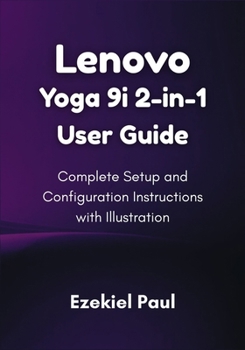
Lenovo Yoga 9i 2-in-1 User Guide: Complete Setup and Configuration Instructions with Illustration
No Customer Reviews

Unlock the Full Potential of Your Lenovo Yoga 9i with This Comprehensive User Guide
Whether you're a first-time user or an experienced owner, this guide will help you master every feature of your Lenovo Yoga 9i. With clear instructions and helpful illustrations, you'll effortlessly navigate through setup, customization, and more, getting the most out of your device.
What's Inside:
Getting Started: Step-by-step instructions for unboxing, powering on, and setting up your Yoga 9i.360 Hinge Flexibility: Learn how to utilize all four modes (Laptop, Tablet, Tent, and Stand) to maximize your device's versatility.Windows 11 Basics: Get familiar with the new features of Windows 11, taskbar customization, and Snap Layouts for efficient multitasking.Connecting Your Device: A guide to setting up Wi-Fi, syncing with Android devices, and managing Bluetooth connections.Personalizing Your Yoga 9i: How to customize your display settings, keyboard, and touchpad to fit your needs.Security and Protection: Step-by-step instructions for enabling BitLocker, setting up Windows Defender, and using Windows Hello for secure logins.Backing Up Your Data: How to use OneDrive for cloud backups, set up File History, and create system recovery drives.Advanced Features: Master Virtual Desktops, Snap Layouts, and Widgets to organize your workspace for maximum productivity.Troubleshooting Tips: Common issues and simple solutions to ensure your device runs smoothly.With this easy-to-follow guide, you'll gain the confidence to fully harness the power of your Lenovo Yoga 9i, optimizing your work and entertainment experience. Whether you're a beginner or a seasoned user, this guide will make sure you're always in control.
Format:Paperback
Language:English
ISBN:B0FSD5C1K7
ISBN13:9798266564732
Release Date:September 2025
Publisher:Independently Published
Length:86 Pages
Weight:0.36 lbs.
Dimensions:0.2" x 7.0" x 10.0"
Customer Reviews
0 rating
Copyright © 2026 Thriftbooks.com
Terms of Use | Privacy Policy | Do Not Sell/Share My Personal Information | Cookie Policy | Cookie Preferences | Accessibility Statement
ThriftBooks ® and the ThriftBooks ® logo are registered trademarks of Thrift Books Global, LLC
ThriftBooks ® and the ThriftBooks ® logo are registered trademarks of Thrift Books Global, LLC
