


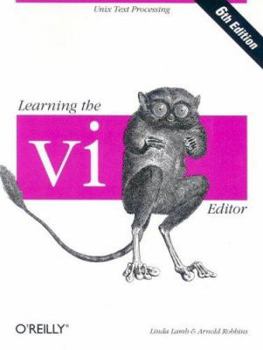
Learning the VI Editor (Nutshell Handbook)

Select Format
Select Condition 
Book Overview
Among the text editors being used in the programming community, perhaps the most important family is vi and its derivatives. With this updated edition, Unix and Linux users will learn text editing... This description may be from another edition of this product.
Format:Paperback
Language:English
ISBN:1565924266
ISBN13:9781565924260
Release Date:November 1998
Publisher:O'Reilly Media, Inc.
Length:327 Pages
Weight:1.30 lbs.
Dimensions:9.5" x 0.8" x 7.0"
Customer Reviews
1 rating
This book covers vi, nvi, elvis, vim, and vile.
Published by bernie4444 , 4 months ago
vi (visual) is probably one of the most flexible editors (notice it is an editor, not a word processor) that one can use. There are several ways to accomplish the same common tasks. There are so many ways, in fact, that most people learn just a subset of commands and string them together to do their editing instead of learning the more exotic commands.
The advantage of an editor, besides speed and simplicity, is that you will not inadvertently place visually hidden code in the program, as you can easily do with a word processor.
People got so used to these editors on DOS-based environments. You can still use the command line editor after the colon at the bottom of the screen. When you find and use the abilities of vi, you will wonder what you would do without it.
This book is a great starting place, and you may never need another.
The Topics include:
- Basic editing
- Moving around in a hurry
- Beyond the basics
- Greater power with ex
- Global search and replacement
- Customizing vi and ex
- Command shortcuts
- Introduction to vi clones’ extensions
- The nvi, elvis, vim, and vile editors
- Summary of vi and ex commands
- Vi and the internet
The examples are quite clear and plentiful.
At the time of this review, there are 8 editions. However, earlier editions still function but are a tad dated.
Copyright © 2026 Thriftbooks.com Terms of Use
| Privacy Policy | Do Not
Sell/Share My Personal Information | Cookie Policy | Cookie Preferences | Accessibility Statement
ThriftBooks® and the ThriftBooks® logo are registered trademarks of Thrift Books Global, LLC
ThriftBooks® and the ThriftBooks® logo are registered trademarks of Thrift Books Global, LLC
