


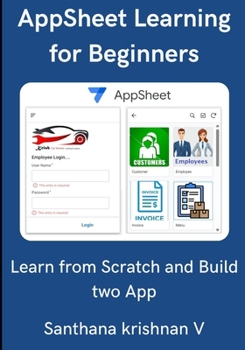
Learn AppSheet for Beginners: Learn From Scratch and Build two App
No Customer Reviews

The most significant advantage of using AppSheet is that it can be easily linked with many existing cloud services and applications. So, businesses and individuals can use it to manage processes and data effectively. Following is some of the instances where AppSheet is most widely used: Creating a tracking application to send notifications to its users.Making an application for project management that is linked to Google Sheets.Making inventory applications.Creating a productivity application that links multiple third-party applications.You don't need to know coding to create and operate this platform. But you have to write some basic code to fine tune or handle a data from linked table. To build an application, we have to follow seven steps as shown belowPreparing the DataLinking AppSheet with the DataPreviewing the Application in EditorSpecifying the Usage of DataCreating Views and Customizing the LookMaking Bots for AutomationTesting and Launching the Application.In this book, we will look after each step in detail with example. You can learn from this bookCreating a data source in Google sheetsCreating a AppSheet application from scratch from Google sheetLearn the complete Table structure and manipulation of all columns and data type.Learn and test all types of Views in two sample ApplicationCreate lot of Actions and Automation Bots while developing application.Debug and test the Bot with monitor and test method.Build Budget and Car service station Application.Create a Mail and Invoice reports.Create Dashboard for budget
Format:Paperback
Language:English
ISBN:B0FKYLCT52
ISBN13:9798296139054
Release Date:August 2025
Publisher:Independently Published
Length:294 Pages
Weight:1.13 lbs.
Dimensions:0.6" x 7.0" x 10.0"
Customer Reviews
0 rating
Copyright © 2026 Thriftbooks.com
Terms of Use | Privacy Policy | Do Not Sell/Share My Personal Information | Cookie Policy | Cookie Preferences | Accessibility Statement
ThriftBooks ® and the ThriftBooks ® logo are registered trademarks of Thrift Books Global, LLC
ThriftBooks ® and the ThriftBooks ® logo are registered trademarks of Thrift Books Global, LLC
