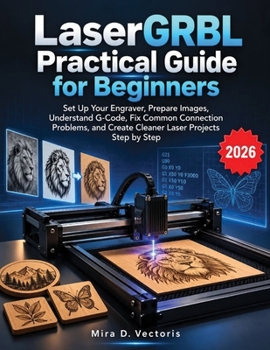
LaserGRBL Practical Guide for Beginners: Set Up Your Engraver, Prepare Images, Understand G-Code, Fix Common Connection Problems, and Create Cleaner L

Turn your laser engraver from a confusing machine into a practical creative tool you can use with confidence.
If you have opened LaserGRBL and found yourself wondering what the buttons mean, which COM port to choose, how much laser power to use, why your engraver will not connect, or how to turn an ordinary image into a clean engraving, this guide was written for you.
LaserGRBL Practical Guide for Beginners takes you step by step through the essential skills needed to work with LaserGRBL and a Grbl-compatible laser engraver without assuming previous experience in CNC machines, electronics, programming, or G-code.
Instead of overwhelming you with technical language, the book explains the process in clear, practical terms and shows how LaserGRBL, Grbl firmware, your computer, and your engraver work together. The guide covers installation, connection, image preparation, machine control, G-code fundamentals, troubleshooting, project workflows, maintenance, and laser safety. LaserGRBL
Inside, you will learn how to: Install and configure LaserGRBL on a Windows computerConnect your engraver using the correct COM port and baud rateUnderstand the LaserGRBL interface, preview window, jogging controls, console, and status informationSet the work origin and correctly position your projectsFrame jobs before engraving to reduce positioning mistakesPrepare JPG, PNG, BMP, SVG, and other compatible artwork for laser workChoose between Line to Line, 1bit BW Dithering, Vectorize, and Centerline methodsAdjust engraving speed, laser power, image size, offsets, and line qualityUnderstand essential G-code commands such as G0, G1, G90, G91, M3, M4, M5, S, and FRead Grbl error messages and alarm states without guessingBack up and safely work with important Grbl configuration settingsCreate useful custom buttons and use material testing toolsTroubleshoot missing COM ports, failed connections, interrupted jobs, incorrect movement, weak burns, scorching, and other common problemsFollow practical projects for engraving logos, photographs, test grids, and cutting thin materialsMaintain your engraver and build safer long-term working habitsThe manuscript also includes hands-on projects designed to move readers from basic operation into practical laser work, including a material test grid, logo engraving, photograph engraving, cutting thin plywood, and combining engraving and cutting in one workflow. LaserGRBL
Just as importantly, the guide treats laser safety as part of the workflow rather than an afterthought, covering eye protection, fire risk, fumes, suitable workspaces, material awareness, maintenance, and situations where you should stop and consult your machine manufacturer. LaserGRBL
Whether you have just assembled your first desktop diode laser, have struggled with inconsistent results, or simply want to understand what LaserGRBL is actually doing behind the scenes, this practical guide gives you a structured path from setup to finished projects.
Spend less time guessing at settings and more time understanding your machine, testing intelligently, and creating cleaner laser projects.
Start building your LaserGRBL skills one step at a time.
This book is an independent and unofficial educational guide. It is not affiliated with, endorsed by, sponsored by, or approved by LaserGRBL, Grbl, any laser engraver manufacturer, or any trademark holder mentioned in the book. All trademarks and product names belong to their respective owners.
Customer Reviews
ThriftBooks ® and the ThriftBooks ® logo are registered trademarks of Thrift Books Global, LLC