


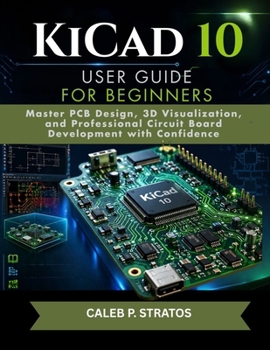
KiCad 10 User Guide for Beginners: Master PCB Design, 3D Visualization, and Professional Circuit Board Development with Confidence

Designing professional printed circuit boards no longer has to feel complicated.
KiCad 10 User Guide for Beginners is a practical, step-by-step handbook created to help absolute beginners, students, electronics enthusiasts, makers, engineers, and hardware developers confidently learn modern PCB design using KiCad.Whether you are completely new to PCB development or transitioning from another design software, this guide walks you through the entire workflow in a simple, realistic, and beginner-friendly way without overwhelming technical jargon.
Instead of confusing explanations and scattered tutorials, this book gives you a structured learning path that mirrors real-world PCB development workflows used by professionals.
Inside this comprehensive guide, you will learn how to:
Install and set up KiCad 10 properlyUnderstand the KiCad interface with confidenceCreate professional electronic schematicsWork with symbols, footprints, and librariesDesign PCB layouts from scratchRoute traces cleanly and professionallyUse 3D visualization tools for board inspectionGenerate Gerber and manufacturing files correctlyTroubleshoot common PCB design mistakesPrepare boards for real-world productionThis book was written from practical experience and focuses heavily on the areas beginners struggle with most, including:
Footprint confusionRouting problemsERC and DRC errorsLibrary managementManufacturing preparationBoard organizationUnlike many technical manuals that assume prior engineering knowledge, this guide explains PCB design in a way that feels approachable, practical, and easy to follow.
By the end of this book, you will understand how to move from a simple electronic idea to a professionally designed circuit board ready for manufacturing.
Perfect for:
Electrical engineering studentsArduino and Raspberry Pi usersRobotics enthusiastsSTEM learnersHardware startup foundersDIY electronics makersPCB design beginnersEmbedded systems learnersIf you have ever wanted to master PCB design without feeling overwhelmed, this guide gives you the foundation, workflow, and confidence to start building real electronics projects using KiCad 10.
What Makes This Book Different?Beginner-friendly explanationsReal-world PCB workflow guidanceStep-by-step practical structureProfessional PCB design techniquesClear troubleshooting supportModern KiCad 10 coverageManufacturing-ready workflowStart designing smarter, cleaner, and more professional circuit boards today with one of the world's most powerful free PCB design platforms.
Your journey into professional PCB development starts here.
Customer Reviews
ThriftBooks ® and the ThriftBooks ® logo are registered trademarks of Thrift Books Global, LLC
