


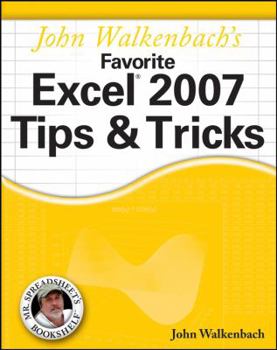
John Walkenbach's Favorite Excel 2007 Tips & Tricks

John Walkenbach comments on the new Excel: "I've been using Excel for over 15 years, and Excel 2007 is by far the most significant upgrade ever. For starters, we've got a new user interface, new open file formats, a larger worksheet grid, better use of memory and CPUs, new functions, and more templates. Dig a bit deeper and you'll find worksheet tables, 100 levels of undo, easier formula construction, better-looking charts, unlimited color choices, SmartArt, a handy page layout view, new conditional formatting options, new collaboration features, a very useful compatibility checker, workbook themes--and even 'skins' so you can change the look of the entire program." John Walkenbach's Favorite Excel 2007 Tips & Tricks consists of a series of non-trivial tips and tricks that cover all aspects of Excel. Tips are improved ways of maximizing the power of Excel to create robust applications. Tricks are shortcuts that will speed up application development with Excel. John's favorites include tips and tricks on dealing with function arguments, creating "impossible" charts, pivot tables, taming the new Ribbon, why use a UserForm, how to create add-ins in Excel 2007, absolute vs. relative references, changing data entry orientation, overcoming the 7-level nesting limit, dynamic chart data, sorting on more than three columns, entering fake data for testing purposes, custom functions, and much more.
Format:Paperback
Language:English
ISBN:0470137665
ISBN13:9780470137666
Release Date:June 2007
Publisher:Wiley & Sons, Incorporated, John
Length:528 Pages
Weight:1.68 lbs.
Dimensions:1.1" x 7.4" x 9.2"
Customer Reviews
5 ratings
Excel 2007 Tips & Tricks
Published by Thriftbooks.com User , 16 years ago
John Walkenbach's Favorite Excel 2007 Tips & Tricks (Mr. Spreadsheet's Bookshelf) This is an excellent book for Excel VBA programmers with plenty of clear examples. I would recommend this book to all of my friends
Excellent book. Well written and good examples.
Published by Thriftbooks.com User , 17 years ago
Every Excel person should have this as a desktop reference. Shows how to do those difficult tasks that we all encounter. A good "cookbook" with clear examples.
Excel Tips & Tricks Reference Book
Published by Thriftbooks.com User , 17 years ago
Love it! This guy sure knows how to write a reference book that you don't have to read the whole thing to understand. Anyone who has a concept of how Excel works can understand this book. Quick answers and practical. Good one!
If you use Excel a lot, this is for you
Published by Thriftbooks.com User , 17 years ago
The book is kind of pricey (but then so are most computer-related books.. well, so are most books, actually) but if you are a frequent user of Excel who uses it for a variety of tasks, this is a good book to have. I think it is good for browsing; yes you can look for specific tips and tricks but I find it interesting just to read through the book to see what sort of shortcuts and illuminations the author has, and to think about whether or not it is something I might be able to utilize. There's a lot of things I think about when working with Excel that I wonder if there is an easier way to handle, but being in a rush I just do it the way I'm accustomed to doing without taking time to investigate it more. Then I forget about it later. By browsing the book, I run across some of those things and voila, there's a tip or trick that does show me how to accomplish the task in an easier way. It's a useful, practical book.
Just as good as its predecessor
Published by Thriftbooks.com User , 18 years ago
This is the second edition of this book that I have purchased and I'm very impressed with them both. There is of course some overlap between the content of the Excel 2003 version and the Excel 2007 version but the significant difference between the Excel versions means that this book contains plenty of advice specific to Excel 2007. I've been using Excel since the early 90s and have a Computing Science background but there were still plenty of tips that I could pick up.
Copyright © 2026 Thriftbooks.com
Terms of Use | Privacy Policy | Do Not Sell/Share My Personal Information | Cookie Notice | Cookie Preferences | Accessibility Statement
ThriftBooks ® and the ThriftBooks ® logo are registered trademarks of Thrift Books Global, LLC
ThriftBooks ® and the ThriftBooks ® logo are registered trademarks of Thrift Books Global, LLC
