


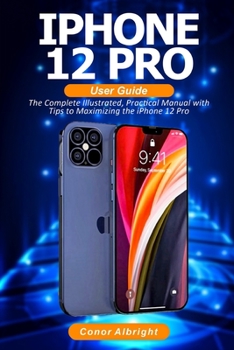
iPhone 12 Pro User Guide: The Complete Illustrated, Practical Manual with Tips a to Maximizing the iPhone 12 Pro

A Comprehensive Step by Step User Guide to Mastering the iPhone 12 Pro.....
The iPhone 12 Pro is a fantastic addition to Apple's ecosystem of devices. While the iPhone 12 Mini and iPhone 12 Pro Max will also likely tempt buyers at either end of the price spectrum, the iPhone 12 Pro is a great "default" device for fans of iOS.
The iPhone 12 Pro received a design refresh and is now edgier than before. The new design language is reminiscent of the iPhone 4 and 5 models of yore. Apple's smartphone is one of the first devices to be equipped with an SoC manufactured in a 5 nm process, Apple's A14 Bionic. The triple-camera system now features an additional LiDAR sensor, and MagSafe supports attaching compatible cases and chargers magnetically. Generally speaking, Apple put in quite some fine-tuning efforts into this device.
This book is a detailed illustrated guide that will help you to maximize your iPhone 12 Pro experience. It has easy to follow tips and instructions.
Here is a preview of what you will learn:
How to Set Up iPhone 12 ProTurn On iCloud BackupSet Up your Cellular Plan with eSIMHow to Enable Emergency SOSTurn Off Required Attention on Face IDCreate and Change Apple ID on the iPhoneSet up Outlook.com Mail, Calendar, and ContactsSet Up Apple PaySet Up Apple Pay CashHow to Request Payment with Apple Pay CashUsing the Ultra Wide CameraHow to take Night PhotosChange Image Detail and Aspect RatioConfigure Night Shift to Automatically Turn On and OffManually Update your Health ProfileHow to Accept a Family Sharing InvitationHow to View the Weather in MapsHow to Measure Height and DimensionHow to Rotate or Straighten VideosSet up the Apple TV appTrim Voice Recording with Voice MemoEdit, Delete and Create MemojiSet up Family Sharing on iPhoneHow to Set Screen TimeSetting communication limits for your childUsing AirDrop to Send and Receive Files to Nearby DevicesHow to Take Long Screenshots of WebsitesConnect Apple TV App to Supported AppsAdd Cycle Symptoms to Cycle TrackingUse the Headphone Level CheckerSet Weekly Sleep ScheduleHow to Use Picture in Picture ModeTake Live Photos during FaceTime CallsHow to Record 4K SelfieHow to Set Up CarPlayHow to Enable/Disable Tap to WakeChange the Default Safari Download LocationHow to Merge Duplicate iPhone ContactsSet Up Emergency Medical IDSet up Live Photo as Wallpaper for Lock ScreenEdit a Smart Stack WidgetShare Your Location via Find My AppSetting communication limits for your childCreating Grouped Lists via Reminder AppHow to Use Swipe TypingPair a DualShock 4 Controller with iPhonePair Xbox One Controller With iPhoneHow to Use the Text Format GestureTo grab a copy of this book, please scroll to the top of this page and click the buy now button
Customer Reviews
ThriftBooks® and the ThriftBooks® logo are registered trademarks of Thrift Books Global, LLC
