


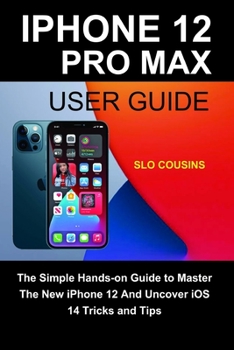
iPhone 12 Pro Max User Guide: The Simple Hands-on Guide to Master The New iPhone 12 And Uncover iOS 14 Tricks and Tips

With IPhone 12 Pro Max, You Have All The Features And Top-End Specs You Desire In A Smartphone.
The Apple iPhone 12 Pro Max is one of the best smartphones anyone can have right now. Powered by A14 Bionic processor, a Neural Engine chip and running on Apple's latest operating system, iOS 14, the iPhone 12 Pro Max delivers, also equipped with 5G technology delivers great speed and top-notch functionality.
Of all Apple's new iPhone 12 series, it has the largest OLED screen size of 6.7-inches. It comes with a 2778 x 1284 pixels resolution, a size of 160.8 x 78.1 millimeters, and a 3600mm battery life that can provide up to 15% longer life, on account of its extra space.
This guidebook is for beginners and pros. It will help you learn all that's needed to master your new iPhone 12 Pro Max; including setting up, understanding essential features and basic tips and tricks for quick navigation to your device's interface. You will have a firm grasp of how to maximize the operating system, iOS 14 to the best advantage.
This book is a simple but elaborate and comprehensive user manual to provide you with upmost user experience and satisfaction where you will be able to operate your iPhone 12 Pro Max with smoothness and ease. Just like an expert
Here is a preview of what you'll learn:
How to Wake and Unlock your iPhone
How to Enable Emergency SOS
Set up Exchange Mail, Calendar and Contacts
Move Home Screen Apps
Set Up Apple Pay
Set Up Apple Pay Cash
Changing the Screen Orientation
How to take Burst Pictures
How to print using AirPrint
How to take Night Photos
How to Turn on HDR in your Camera App
How to shoot in HDR
How to Change wallpaper
Change Image Detail and Aspect Ratio
Set Dark Mode to Turn On and Off Automatically
Using AirDrop to Send and Receive Files to Nearby Devices
How to Take Long Screenshots of Websites
Set Up Monthly Cycle Data
Set a Sleep Schedule
How to Use Picture in Picture Mode
Start Siri on the iPhone 12
How to add Siri shortcuts
Using Siri in CarPlay
Take Live Photos during FaceTime Calls
Set up Family Sharing on iPhone
Using the Widgets on the Home screen
Edit a Smart Stack Widget
Share Your Location via Find My App
Security and Privacy
Check Safari's privacy reports
How to use the Activation Lock
Know when your camera or microphone is in use
How to Set up and Edit your Medical ID
How to Set a Sleep Schedule
How to Set Up CarPlay
Set Up Emergency Medical ID
How to use the Measure App
How to use detailed cycling directions on maps
And many more
Customer Reviews
ThriftBooks ® and the ThriftBooks ® logo are registered trademarks of Thrift Books Global, LLC
