


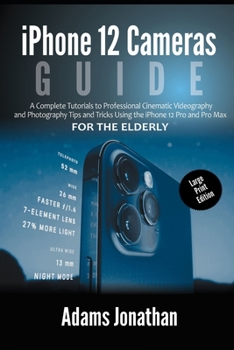
iPhone 12 Cameras Guide For The Elderly (Large Print Edition): A Complete Tutorials to Professional Cinematic Videography and Photography Tips and Tri
No Customer Reviews

As a professional photographer and videographer, get ready to improve your career by studying the camera capabilities of your new iPhone 12. You will be amazed at how you can snap and shoot high-resolution videos and pictures with great precision. These Cinematic videos could be uploaded on YouTube, while the pictures can be uploaded on Instagram and other social media platforms. If you are a beginner in photography or video productions, purchasing the usual digital cameras could be very expensive. With your iPhone 12 devices, you don't have to worry about acquiring digital cameras. All you need is to study this book and understand how to use the features of your iPhone 12 in capturing real-life images. Other things you will learn are: Highlighting the Potentials of iPhone 12 CamerasUsing the iPhone 12 Control CenterHow to Add Camera App to the Dock Accessing iPhone 12 Cameras QuicklyHow to take Shots in Multiple Ways Activating the Grid Guides Shooting in Burst ModeWays to Set Up Exposure and Manual Focus Taking HDR PicturesHow to Take Manual Photos Turning Off Auto HDR Accessing various Types of Pictures QuicklyHow to Take a Live Photo Taking Panorama Pictures How to Edit Live Pictures Playing a Live Photo Using iPhone Portrait Mode in Taking Portrait PicturesUsing Depth Control Changing the Level of Blur with the DepthHow to Take Pictures using Filter How to Take Pictures in Low-light with Night ModeHow to Change Video Resolution and Frame Rate with Quick Toggles Changing Aspect Ratio Recording a VideoConverting Normal Video to Slo-Mo How to Record a QuickTake Video Shooting a Slow Motion Video How to Slow-Down or Speed Up a Slow Motion Video Using a Third Part app to Make Your Video Fast or Slow The Potentials Of iPhone 12 Photo App How to View Videos and PhotosBrowsing PicturesEditing Live Photos on iPhone How to Add Effects to a live PicturePlaying a Live Photo How to Play a Live Video How to Play and Customize a Slideshow Deleting and Hiding Videos and Pictures Removing Pictures and Videos from Existing AlbumsDeleting, Renaming, and Reorganizing Existing Albums Sorting Pictures in Albums Filtering Pictures in Your Albums How to Arrange Albums in Folders How to Share Videos and Pictures in iPhone 12 How to Share or Save a Video or Picture You Received Using Picture Editing Software for iPhone 12 How to Retouch Your Pictures Fixing the Colors on a Picture Using the Photo App to Modify ColorsHow to Remove Photo Casting How to Use Adobe Lightroom Handling Panel in Loupe View What is the Edit Panel? How to Apply Selective Edit Removing Unwanted Images and Spots in your Photos How to Crop Pictures How to Use FilMic Pro App for Cinematic Video Using the FilMic Pro for Better focus Setting Resolution in FilMic Pro Selecting Aspect Ratio Adjusting Frame Rate on Filmic Pro How to Set White Balance Adjusting Exposure in FilMic Pro iPhone 12 Device Settings How to Record Videos on the FilMic Pro How to Manage Presets in your Pictures Copying and Pasting Edits Sending your Pictures to Photoshop using an iPad Sharpening your Pictures with Noise Reduction And many more. ...Scroll up and click the BUY BUTTON NOW with 1-Click to get a Copy of this User Manual. See you inside
Format:Paperback
Language:English
ISBN:B08NVYTYCY
ISBN13:9798566809267
Release Date:January 1
Publisher:Independently Published
Length:176 Pages
Weight:0.54 lbs.
Dimensions:0.4" x 6.0" x 9.0"
Customer Reviews
0 rating
Copyright © 2026 Thriftbooks.com Terms of Use
| Privacy Policy | Do Not
Sell/Share My Personal Information | Cookie Policy | Cookie Preferences | Accessibility Statement
ThriftBooks® and the ThriftBooks® logo are registered trademarks of Thrift Books Global, LLC
ThriftBooks® and the ThriftBooks® logo are registered trademarks of Thrift Books Global, LLC
