


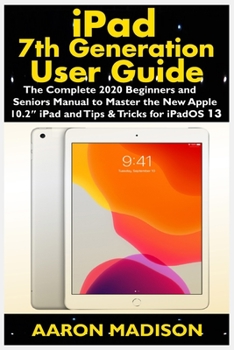
iPad 7th Generation User Guide: The Complete 2020 Beginners and Seniors Manual to Master the New Apple 10.2" iPad and Tips & Tricks for iPadOS 13
No Customer Reviews

The Complete User Manual to master the new iPad 7th Generation with iPadOS/iOS 13 The iPad 7th generation was released by Apple on 24th September, 2019, with a larger screen size of 10.2-inch compared to the 6th generation iPad, which had a 9.7-inch display screen. The new iPad 7th generation comes along with iPadOS 13 as the default operating system. There's a lot of revamped and new features such as to zipping and unzip files without using a third-party app, pairing an Xbox One or DualShock controller with your iPad, screenshot multiple pages document, turn your iPad into a second screen with your MacBook, new gesture for copying, pasting, undo and redo tasks, and there's an improvement in the integration of the Apple Pencil to your iPad. This book will save you the stress of a "trial and error" method. This manual contains everything you need to know about your iPad 7th generation. This book will help you master your iPad in a very quick, easy, and straightforward manner. Master how to split your device screen for multitasking, swipe typing, scan documents without using a third-party app, automatically block spam emails, set screen time, create and edit memoji, activate Siri, master the new map features and so much more. Things you'll learn in this guide includes:
Features of iPad 7th generationFeatures of iPadOS 13How to update your iPadSet Up iPad 7th generationHow to backup and restore iPad from macOS CatalinaHow to Create a New Apple IDConfigure Apple Pay on the iPadHow to Use a Wireless or USB Mouse with iPadHow to Mirror iPad screen on your macOS CatalinaHow to Use the New Camera AppCustomize d104 Message TonesSet Wallpapers that Reacts to Dark ModeSet Messages to Share Your Personalized Contact DataFilter Unknown Calls and MessagesTurn Off Required Attention on Face IDFormat to Store Pictures & VideosHow to Activate SiriSketch and Draw with your iPadHow to charge the Apple PencilHow to Use the New Scroll BarHow to Scan Documents in the Files AppShare Photos Without Location InformationDelete Apps from the Notification ScreenTake Long Screenshots of WebsitesSet Up Monthly Cycle DataSet Up Fertility Predictions and NotificationsDisable True Tone DisplayEdit Videos on Your iPadHow to Record 4K SelfieRotate/Straighten VideosFeatures of New Apple Maps AppHow to Use Memoji FeatureTurn on Automatic Brightness AdjustmentHow to Take Smarter SelfiesEnable Location Services on Find My AppEnable Offline FindingReceive Notification When Sending Message via Reminder AppSet a Custom Name and Profile Picture via iMessagePair a DualShock 4 Controller with Your iPhonePair Xbox One Controller With iPhoneHow to Use the New d104 Format GesturesScan Documents from the Files AppHow to Apply Filter to VideoSave and Share Webpage as a PDFEnable Content Blockers in SafariEnable/Disable Limit Ad TrackingHow to Block Email SendersZip and unzip filesAnd lots more
Don't wait, get this guide now by clicking the BUY NOW button and learn everything about your iPad 7th generation
Features of iPad 7th generationFeatures of iPadOS 13How to update your iPadSet Up iPad 7th generationHow to backup and restore iPad from macOS CatalinaHow to Create a New Apple IDConfigure Apple Pay on the iPadHow to Use a Wireless or USB Mouse with iPadHow to Mirror iPad screen on your macOS CatalinaHow to Use the New Camera AppCustomize d104 Message TonesSet Wallpapers that Reacts to Dark ModeSet Messages to Share Your Personalized Contact DataFilter Unknown Calls and MessagesTurn Off Required Attention on Face IDFormat to Store Pictures & VideosHow to Activate SiriSketch and Draw with your iPadHow to charge the Apple PencilHow to Use the New Scroll BarHow to Scan Documents in the Files AppShare Photos Without Location InformationDelete Apps from the Notification ScreenTake Long Screenshots of WebsitesSet Up Monthly Cycle DataSet Up Fertility Predictions and NotificationsDisable True Tone DisplayEdit Videos on Your iPadHow to Record 4K SelfieRotate/Straighten VideosFeatures of New Apple Maps AppHow to Use Memoji FeatureTurn on Automatic Brightness AdjustmentHow to Take Smarter SelfiesEnable Location Services on Find My AppEnable Offline FindingReceive Notification When Sending Message via Reminder AppSet a Custom Name and Profile Picture via iMessagePair a DualShock 4 Controller with Your iPhonePair Xbox One Controller With iPhoneHow to Use the New d104 Format GesturesScan Documents from the Files AppHow to Apply Filter to VideoSave and Share Webpage as a PDFEnable Content Blockers in SafariEnable/Disable Limit Ad TrackingHow to Block Email SendersZip and unzip filesAnd lots more
Don't wait, get this guide now by clicking the BUY NOW button and learn everything about your iPad 7th generation
Format:Paperback
Language:English
ISBN:167514799X
ISBN13:9781675147993
Release Date:January 1
Publisher:Independently Published
Length:182 Pages
Weight:0.55 lbs.
Dimensions:0.4" x 6.0" x 9.0"
Related Subjects
ReferenceCustomer Reviews
0 rating
Copyright © 2026 Thriftbooks.com Terms of Use
| Privacy Policy | Do Not
Sell/Share My Personal Information | Cookie Policy | Cookie Preferences | Accessibility Statement
ThriftBooks® and the ThriftBooks® logo are registered trademarks of Thrift Books Global, LLC
ThriftBooks® and the ThriftBooks® logo are registered trademarks of Thrift Books Global, LLC
