


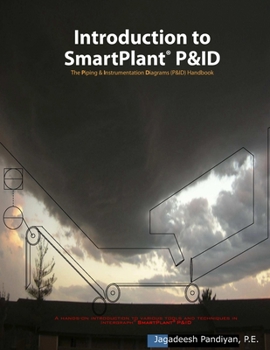
Introduction to SmartPlant (R) P&ID: The Piping and Instrumentation Diagrams (P&ID) Handbook
No Customer Reviews

Learn SmartPlant(R) P&ID (SPPID) design and development skills with Introduction to SmartPlant(R) P&ID. This is a user oriented book containing step-by-step instructions to understand the design and development of Piping & Instrumentation Diagrams (P&IDs). This book is written for SPPID users or engineers who are involved in developing and maintaining P&IDs in Engineering design firms, Institutions or Industries. What user will learn with this book: Understand various SmartPlant(R) Managers, Understand SmartPlant(R) Environment, Create Intelligent P&IDs, Create Intelligent Symbols, Create Fieldbus Signal Lines, Create SmartLabels Symbol (DCS/PLC), Develop Instrument Loops, Check Inconsistencies, Customize Categories & Properties, Manage SPPID Revisions & Versions, Generate SPPID Reports, Create P&ID Drawing Templates, Create Color-coded HAZOP Nodes, Print SmartPlant(R) P&IDs and more.
"This book covering the implementation and use of SmartPlant P&ID will help you to take advantage of this new technology and offers true business advantage for you and your company." - Frank Loop, Executive Director, Global Business Development, Intergraph Corporation
This book suitable for: Process, Piping, Process Control and Instrumentation EngineersSmartPlant(R) P&ID users or developersProcess or Instrumentation/Controls ManagersMulti-disciplinary engineers who are involved in preparing Process Flow Diagrams and P&IDsUniversities & technical colleges (Courses like PFD, Flow sheets and P&ID)SmartPlant(R) AdministratorsThis book covers plenty of topics as mentioned below with dedicated chapters. 1. SmartPlant(R) P&ID Introduction 2. SmartPlant(R) Engineering Manager 3. Creating Areas & Units 4. Creating SmartPlant(R) Drawings 5. SmartPlant(R) P&ID Environment 6. Creating SmartPlant(R) P&IDs 7. Entering & Modifying Property Value 8. Adding & Displaying Texts 9. Labeling 10. Creating Instrument Control Loop 11. Creating New Symbols 12. Creating Fieldbus Signal Line 13. Customizing Category & Properties 14. Creating SmartLabels Symbol 15. Creating Symbols from DWG File 16. Creating Assemblies 17. Design Elements 18. Auto-Replace Catalog Item 19. Checking Inconsistency 20. Working with OPC Item 21. Generating Reports 22. Customizing Reports 23. Customizing EDE Layout 24. Drawing Revisions Management 25. Drawing Versions Management 26. Symbols Management 27. Creating Drawing Template 28. Creating Color-coded HAZOP Nodes 29. Printing SmartPlant(R) P&IDsEach chapter expanded in detail to describe every single step so that the user/readers understand the concepts and the software tools: E.g. Chapter 6, Creating SmartPlant(R) P&IDsYou can expand your skills into master level where SmartPlant P&ID customization is required. Here is the example chapter where user can create new symbols. E.g. Chapter 11, Creating New SymbolsUser can unleash the power of the P&ID tool to generate engineering deliverables that are traditionally generated using hand marked redlines. Here is the example of HAZOP P&IDs with different color coded for each HAZOP nodes. E.g. Chapter 28, Creating Color-coded HAZOP NodesThis is the one and only book ever written on SmartPlant(R) P&ID. Get this book for you and your SmartPlant designer, user, engineer, manager and your department.
"This book covering the implementation and use of SmartPlant P&ID will help you to take advantage of this new technology and offers true business advantage for you and your company." - Frank Loop, Executive Director, Global Business Development, Intergraph Corporation
This book suitable for: Process, Piping, Process Control and Instrumentation EngineersSmartPlant(R) P&ID users or developersProcess or Instrumentation/Controls ManagersMulti-disciplinary engineers who are involved in preparing Process Flow Diagrams and P&IDsUniversities & technical colleges (Courses like PFD, Flow sheets and P&ID)SmartPlant(R) AdministratorsThis book covers plenty of topics as mentioned below with dedicated chapters. 1. SmartPlant(R) P&ID Introduction 2. SmartPlant(R) Engineering Manager 3. Creating Areas & Units 4. Creating SmartPlant(R) Drawings 5. SmartPlant(R) P&ID Environment 6. Creating SmartPlant(R) P&IDs 7. Entering & Modifying Property Value 8. Adding & Displaying Texts 9. Labeling 10. Creating Instrument Control Loop 11. Creating New Symbols 12. Creating Fieldbus Signal Line 13. Customizing Category & Properties 14. Creating SmartLabels Symbol 15. Creating Symbols from DWG File 16. Creating Assemblies 17. Design Elements 18. Auto-Replace Catalog Item 19. Checking Inconsistency 20. Working with OPC Item 21. Generating Reports 22. Customizing Reports 23. Customizing EDE Layout 24. Drawing Revisions Management 25. Drawing Versions Management 26. Symbols Management 27. Creating Drawing Template 28. Creating Color-coded HAZOP Nodes 29. Printing SmartPlant(R) P&IDsEach chapter expanded in detail to describe every single step so that the user/readers understand the concepts and the software tools: E.g. Chapter 6, Creating SmartPlant(R) P&IDsYou can expand your skills into master level where SmartPlant P&ID customization is required. Here is the example chapter where user can create new symbols. E.g. Chapter 11, Creating New SymbolsUser can unleash the power of the P&ID tool to generate engineering deliverables that are traditionally generated using hand marked redlines. Here is the example of HAZOP P&IDs with different color coded for each HAZOP nodes. E.g. Chapter 28, Creating Color-coded HAZOP NodesThis is the one and only book ever written on SmartPlant(R) P&ID. Get this book for you and your SmartPlant designer, user, engineer, manager and your department.
Format:Paperback
Language:English
ISBN:0615339212
ISBN13:9780615339214
Release Date:January 1
Publisher:Apjbooks
Length:416 Pages
Weight:2.11 lbs.
Dimensions:0.8" x 8.5" x 11.0"
Customer Reviews
0 rating
Copyright © 2026 Thriftbooks.com
Terms of Use | Privacy Policy | Do Not Sell/Share My Personal Information | Cookie Policy | Cookie Preferences | Accessibility Statement
ThriftBooks ® and the ThriftBooks ® logo are registered trademarks of Thrift Books Global, LLC
ThriftBooks ® and the ThriftBooks ® logo are registered trademarks of Thrift Books Global, LLC
