


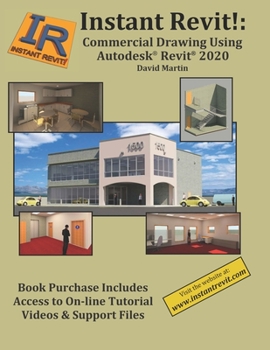
Instant Revit!: Commercial Drawing Using Autodesk(R) Revit(R) 2020

Select Format
Select Condition 
Book Overview
Instant Revit : Commercial Drawing Using Autodesk(R) Revit(R) 2020
This book is for students that have some experience using Autodesk Revit. This book contains step-by-step project tutorials with screenshots using the Revit program. The units for the projects are in Imperial (Feet & Inches) units. The book consists of the drawing of a two-story commercial building.
A three-dimensional model of the project will be developed and used to create views of the: floor plan, longitudinal section, interior and exterior elevations, wall sections, detail views of the structure, and renderings of the interior and exterior of the structure. Some of these drawings will be annotated with dimensions and notes. Door, window, path of travel, wall type, and room finish schedules will be also be created. Once these drawings are completed, the student will then create design options of the structure. This allows the design to be presented with multiple styles or options within the same file.
There is also a companion website for the book that is maintained by the author. Purchasers of the book will be able to view demonstration videos of the tutorials and download files that are used for the project.
Revit families are presented as part of the project. Families are groups of elements that may be added to the project such as: furniture, cabinetry, fixtures, lighting, HVAC components, people, vehicles, elevators, etc... The student will utilize these files to add various elements to their project. Family files are also provided from manufacturer's sites and the companion website.
Students will then be guided through the process of creating perspective views and renderings of the project. Instruction includes use of the Autodesk Rendering site to process renderings within a cloud. Cloud rendering utilizes an Autodesk server for processing instead of the student's own computer. This allows for renderings to be created at a much faster rate. After the project is completed, additional information about the creation and use of stacked walls and keynotes is presented.
At the end of the project, the student will be able to create a PDF portfolio of their project. This process uses an additional, free program to assemble the files.
Emphasis is placed on making the learning process as quick and as easy as possible. This way the student may concentrate on completing the project and becoming a productive Revit drafter and designer in a relatively short time.
Related Subjects
ArchitectureCustomer Reviews
ThriftBooks ® and the ThriftBooks ® logo are registered trademarks of Thrift Books Global, LLC
