


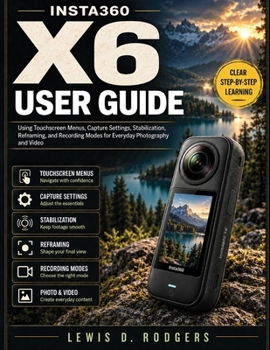
Insta360 X6 User Guide: Using Touchscreen Menus, Capture Settings, Stabilization, Reframing, and Recording Modes for Everyday Photography and Video

Owning the Insta360 X6 gives you a wide range of creative options, but learning how its touchscreen controls, 360 capture, flat recording modes, stabilization, and editing workflow fit together can take some time. This guide is written to make that process clearer without overwhelming you with unnecessary technical language.
Insta360 X6 User Guide takes a practical, step-by-step approach to setting up the camera, understanding its controls, choosing useful capture settings, and working with the footage after recording. It is suitable for new owners, beginners, hobby photographers, content creators, and intermediate users who want a more organized way to learn the camera.
The guide explains both 360 and flat shooting workflows, including touchscreen navigation, recording specifications, exposure choices, storage, stabilization, audio, reframing, accessories, file handling, and troubleshooting. It also discusses X6-specific tools such as InstaFrame 2.0, PureVideo, FreeFrame Video, Full Screen Press, Dolby Vision, and the camera's 360 recording modes, with attention to when each feature is useful rather than simply listing specifications.
Inside, readers will learn how to:
Navigate the touchscreen, shortcut menus, shooting settings, and system controlsChoose between 360 capture, flat video, PureVideo, FreeFrame, InstaFrame 2.0, and other supported modesWork with exposure, white balance, frame rates, resolution, and field-of-view choicesUnderstand stabilization and horizon-leveling options for different types of movementReframe 360 footage using the Insta360 app and desktop softwareManage memory cards, internal storage, batteries, wireless connections, and file transfersUse microphones, mounts, selfie sticks, and other compatible accessories more thoughtfullyDiagnose common recording, connection, storage, stitching, and playback problemsThe guide also explains the difference between capturing an entire 360 scene and deciding on the final frame later, helping readers build a workflow that suits travel, family recording, outdoor activities, everyday video, and creative projects.
This is an independently produced educational guide. It is not official, authorized, sponsored, endorsed, approved, or published by Insta360 or Arashi Vision Inc.
For readers who want to spend less time searching through menus and more time understanding why particular settings and modes are useful, this guide provides a structured companion for learning the X6 at a comfortable pace.
Customer Reviews
ThriftBooks ® and the ThriftBooks ® logo are registered trademarks of Thrift Books Global, LLC
