


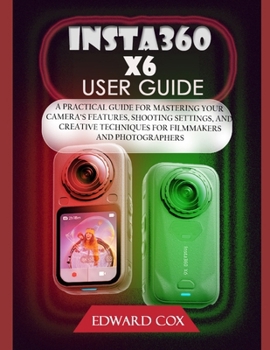
Insta360 X6 User Guide: A Practical Guide for Mastering Your Camera's Features, Shooting Settings, and Creative Techniques for Filmmakers and Photogra
No Customer Reviews

The Insta360 X6 is capable of far more than simply recording video. With the right settings, shooting techniques, stabilization options, reframing tools, and AI-powered editing features, you can turn ordinary recordings into polished, professional-looking content. The X6's 8K 360 recording capability is one of its biggest attractions, but higher resolution isn't automatically the best choice for every situation. 8K footage can provide plenty of detail and gives you more flexibility when reframing your shots, but it also produces large files, requires more storage, and can place greater demands on your camera, batteries, phone, computer, and editing workflow. This guide therefore doesn't simply tell you to "always shoot in 8K." Instead, it walks you through the available capture options and explains when 8K makes sense, when a lower-resolution mode may be perfectly adequate, and how to choose a setting based on what you are actually recording. This is a practical, creator-focused handbook that takes you from setting up your X6 for the first time to confidently shooting, editing, reframing, organizing, and sharing your finished content.
Inside This Guide, You'll Learn How To: Set Up and Configure Your Insta360 X6: Start with the fundamentals. Learn how to prepare your X6 for use, navigate the camera's touchscreen and controls, connect it with the Insta360 app, and configure the essential settings you should understand before heading out to shoot.Master 360 Photography and Video: Understand what makes 360 photography and video different from conventional shooting. Learn how to position and handle the camera, capture your surroundings effectively, and take advantage of the X6's ability to record the entire scene so you can decide on the final composition later.Choose the Right Shooting Mode for the Situation: Different situations call for different approaches. This guide explains how to choose appropriate shooting modes for different purposes such as Travel and sightseeing, Action sports, Motorcycle and outdoor recording, and so on.Reframe Your 360 Footage: One of the biggest advantages of shooting 360 is the ability to decide what the viewer sees after you've finished recording. This guide walks you through the reframing process so you can transform a single 360 recording into conventional videos with carefully selected perspectives. You'll learn how to create engaging versions of your footage for YouTube, Instagram, TikTok, and other social platforms, while choosing appropriate framing and aspect ratios for each destination. A single recording doesn't have to produce just one video.Understand the Important Camera Settings: You don't need to become a professional cinematographer to understand exposure. This guide explains the key settings that affect the appearance of your footage, including ISO, Shutter speed, White balance, Exposure and Color Adjustment.Edit with the Insta360 App and Insta360 Studio: Capturing footage is only half of the creative process. The other half is turning those recordings into something worth watching. You'll learn how to edit, reframe, export, and organize your footage using both the Insta360 app and Insta360 Studio. The guide helps you understand the workflow from importing your recordings to selecting the best moments, adjusting the viewpoint, preparing your video for different platforms, and exporting the finished result.You don't have to master everything on your first day. Start with the basics, experiment with different modes, and gradually incorporate more advanced techniques as your confidence grows.
Learn the camera, improve your shooting, and edit more efficiently. Get more from every recording, and create with the freedom that a 360 camera is designed to give you
Inside This Guide, You'll Learn How To: Set Up and Configure Your Insta360 X6: Start with the fundamentals. Learn how to prepare your X6 for use, navigate the camera's touchscreen and controls, connect it with the Insta360 app, and configure the essential settings you should understand before heading out to shoot.Master 360 Photography and Video: Understand what makes 360 photography and video different from conventional shooting. Learn how to position and handle the camera, capture your surroundings effectively, and take advantage of the X6's ability to record the entire scene so you can decide on the final composition later.Choose the Right Shooting Mode for the Situation: Different situations call for different approaches. This guide explains how to choose appropriate shooting modes for different purposes such as Travel and sightseeing, Action sports, Motorcycle and outdoor recording, and so on.Reframe Your 360 Footage: One of the biggest advantages of shooting 360 is the ability to decide what the viewer sees after you've finished recording. This guide walks you through the reframing process so you can transform a single 360 recording into conventional videos with carefully selected perspectives. You'll learn how to create engaging versions of your footage for YouTube, Instagram, TikTok, and other social platforms, while choosing appropriate framing and aspect ratios for each destination. A single recording doesn't have to produce just one video.Understand the Important Camera Settings: You don't need to become a professional cinematographer to understand exposure. This guide explains the key settings that affect the appearance of your footage, including ISO, Shutter speed, White balance, Exposure and Color Adjustment.Edit with the Insta360 App and Insta360 Studio: Capturing footage is only half of the creative process. The other half is turning those recordings into something worth watching. You'll learn how to edit, reframe, export, and organize your footage using both the Insta360 app and Insta360 Studio. The guide helps you understand the workflow from importing your recordings to selecting the best moments, adjusting the viewpoint, preparing your video for different platforms, and exporting the finished result.You don't have to master everything on your first day. Start with the basics, experiment with different modes, and gradually incorporate more advanced techniques as your confidence grows.
Learn the camera, improve your shooting, and edit more efficiently. Get more from every recording, and create with the freedom that a 360 camera is designed to give you
Format:Paperback
Language:English
ISBN:B0HK3ZSJVK
ISBN13:9798175021364
Release Date:September 2026
Publisher:Independently Published
Length:138 Pages
Weight:0.74 lbs.
Dimensions:0.3" x 8.5" x 11.0"
Customer Reviews
0 rating
Copyright © 2026 Thriftbooks.com
Terms of Use | Privacy Policy | Do Not Sell/Share My Personal Information | Cookie Notice | Cookie Preferences | Accessibility Statement
ThriftBooks ® and the ThriftBooks ® logo are registered trademarks of Thrift Books Global, LLC
ThriftBooks ® and the ThriftBooks ® logo are registered trademarks of Thrift Books Global, LLC
