


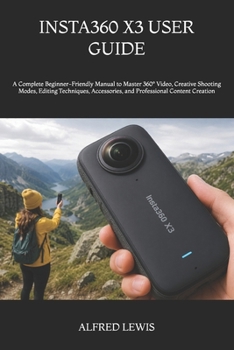
Insta360 X3 User Guide: A Complete Beginner-Friendly Manual to Master 360° Video, Creative Shooting Modes, Editing Techniques, Accessories, and Profes

Turn Your Insta360 X3 Into a Powerful Creative Tool
The Insta360 X3 can capture stunning 360-degree videos, smooth action footage, immersive travel moments, and unique social media content. However, many users never explore its full potential because the camera's settings, shooting modes, editing tools, and export options can feel confusing at first.
This practical user guide is designed to help you move from uncertainty to confidence. It explains the Insta360 X3 in clear, simple language, making it easier to set up your camera, choose the right recording mode, capture better footage, edit your videos, and solve common problems.
Inside this guide, you will discover how to:
- Set up and operate your Insta360 X3 correctly
- Understand the touchscreen, buttons, menus, and camera controls
- Choose suitable video, photo, and 360-degree shooting modes
- Record smooth footage using FlowState stabilization
- Create the invisible selfie stick effect
- Capture travel, motorcycle, walking, sports, and action videos
- Use Active HDR, Me Mode, TimeShift, Bullet Time, and other creative features
- Improve video quality with practical camera settings
- Reframe 360-degree footage and select the best viewing angles
- Edit videos with the Insta360 mobile app and desktop software
- Export content for YouTube, Instagram, TikTok, and other platforms
- Manage batteries, memory cards, storage, and file transfers
- Use mounts, lens guards, selfie sticks, microphones, and other accessories
- Fix common connection, recording, overheating, and editing problems
- Protect your camera and keep it working properly
Why Should You Buy This User Guide?
The Insta360 X3 offers many powerful features, but learning through trial and error can waste time, battery power, storage space, and valuable footage. This guide brings the essential information together in one convenient resource, helping you understand what each feature does and when to use it.
Instead of overwhelming you with unnecessary technical language, the instructions are broken down into practical explanations that you can follow at your own pace. You will learn not only where to find important settings, but also how those settings can affect the quality of your photos and videos.
Who Should Read This Book?
This guide is suitable for:
- First-time Insta360 X3 owners
- Beginners who are new to 360-degree cameras
- Travelers, vloggers, motorcyclists, and outdoor creators
- Social media users who want more engaging content
- Action-camera users who want to improve their filming skills
- Seniors and non-technical users who prefer clear instructions
- Anyone who wants to edit and share professional-looking 360-degree footage
What Sets This Book Apart?
This book focuses on real-world use rather than presenting a simple list of camera specifications. It explains the complete process, from initial setup and recording to editing, exporting, maintenance, and troubleshooting.
The guide also highlights common mistakes that can affect image quality, such as placing subjects too close to the stitch line, using unsuitable recording settings, ignoring lens protection, choosing the wrong memory card, or exporting footage incorrectly.
With practical tips, beginner-friendly explanations, and useful shooting guidance, this book will help you make better decisions before, during, and after recording.
Stop Guessing and Start Creating
Your Insta360 X3 is capable of producing exciting videos and unforgettable perspectives, but the results depend on how well you understand and use it.
Take control of your camera, improve your filming confidence, explore creative shooting techniques, and start producing content you will be proud to share.
Get your copy today and begin unlocking the full creative potential of your In
Customer Reviews
ThriftBooks ® and the ThriftBooks ® logo are registered trademarks of Thrift Books Global, LLC
