


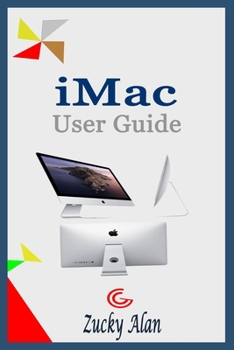
iMAC USER GUIDE: A Step By Step Manual For Beginners And Seniors On How To Use The New 27-inch iMac With Shortcuts, Tips And Tricks, Fo
No Customer Reviews

In this Guide Book, Author Zucky Alan takes you throught the process of setting up and using the basic and advanced featurs of your 27" iMac. Areas covered include: iMac At A Glance Take A Tour On The iMac Connect Accessories iMac Magic Keyboard iMac Magic Mouse 2 Use An Adapter With Your iMac Connect An External Monitor To Your iMac Get Started, Set Up Your iMac Apple Account On iMac Help, Desktop, And The Menu Bar The Finder On Your Mac Dock On Your Mac Notification Center On Your Mac Control Center On Your Mac System Preferences On Your Mac Spotlight On Your Mac Siri On Your Mac Display Settings For Your Mac Transfer Your Data To Your New iMac Back Up And Restore Your iMac Use iMac With Other Devices Screen Time On Mac Use Handoff On Your Mac Use Universal Clipboard On Your Mac Sidecar On Your Mac Continuity Camera On Your Mac Use Airdrop On Your Mac Texting And Phone Calls Instant Hotspot On Your Mac Use Apple Watch To Unlock Your Mac And Confirm Tasks Use Apple Pay On Your Mac Use Airplay On Your Mac Use Airprint On Your Mac Apps App Store Book Calendar Facetime Find My Photos Safari Stocks Tv Keyboard Shortcuts On Your Mac Save Space On Your iMac Take A Screenshot On Your iMac Use External Monitors With Your iMac Use Sign In With Apple On iMac Using Quick Look To View And Edit Files Using A Retina Display Using Apps With A Retina Display How To Use Boot Camp And Windows Along With Retina Display From A Windows Pc To iMac Data Transfer If You Have Problems Transferring Your Data Just click the Buy Now button to get going!
Format:Paperback
Language:English
ISBN:B0942975WL
ISBN13:9798746868763
Release Date:April 2021
Publisher:Independently Published
Length:162 Pages
Weight:0.50 lbs.
Dimensions:0.3" x 6.0" x 9.0"
Customer Reviews
0 rating
Copyright © 2025 Thriftbooks.com
Terms of Use | Privacy Policy | Do Not Sell/Share My Personal Information | Cookie Policy | Cookie Preferences | Accessibility Statement
ThriftBooks ® and the ThriftBooks ® logo are registered trademarks of Thrift Books Global, LLC
ThriftBooks ® and the ThriftBooks ® logo are registered trademarks of Thrift Books Global, LLC
