


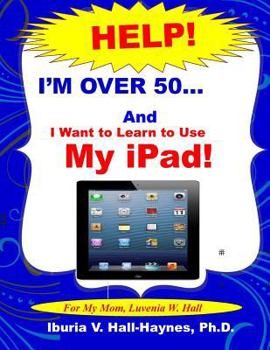
I'm Over 50 and I Want to Learn to Use my iPad!: Help for Beginners
No Customer Reviews

This instruction manual is designed for beginners, seniors, and any first-time iPad user who would like to learn more about the basic functions and applications used with this technology. It eliminates unnecessary technical jargon and incorporates approaches and strategies that will help to reduce apprehension while developing confidence and skills. It includes definitions, graphics, illustrations, simple step-by-step instructions and activities that are easy to follow. Because many beginners just want to perform basic functions, this manual focuses on creating contacts, emails, texts, and Facetime calls. It is not exhaustive and assumes that the setup functions (email accounts, network setups, etc.) have already been conducted or will be conducted prior to use. The features associated with using the iPad and the iPhone have been summarized. The icons are basically the same in both. We will review: - A basic vocabulary. The vocabulary is very important as you try to understand the iPad. - Ways to get started. Become familiar with all of the parts of the iPad. - How to enter text. You can enter text by typing it in or dictating through Siri. - How to create contacts, messages, and photos, and how to send and receive email. The important thing is to take your time and have fun. When you do something and it doesn't work the first time, just follow the steps again, and for some reason it works after that (smile). Happy iPadding
Format:Paperback
Language:English
ISBN:1496119568
ISBN13:9781496119568
Release Date:March 2014
Publisher:Createspace Independent Publishing Platform
Length:56 Pages
Weight:0.34 lbs.
Dimensions:0.1" x 8.5" x 11.0"
Related Subjects
ReferenceCustomer Reviews
0 rating
Copyright © 2025 Thriftbooks.com
Terms of Use | Privacy Policy | Do Not Sell/Share My Personal Information | Cookie Policy | Cookie Preferences | Accessibility Statement
ThriftBooks ® and the ThriftBooks ® logo are registered trademarks of Thrift Books Global, LLC
ThriftBooks ® and the ThriftBooks ® logo are registered trademarks of Thrift Books Global, LLC
