


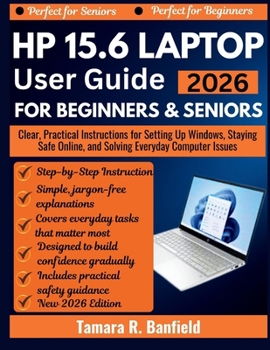
HP 15.6 Laptop User Guide for Beginners & Seniors 2026: Clear, Practical Instructions for Setting Up Windows, Staying Safe Online, and Solving Everyda

This book was created specifically for people who want clear, calm, and simple guidance. Every topic is explained in plain English, with step-by-step instructions that assume no prior knowledge. From turning the laptop on for the first time to using the internet, email, video calls, and basic troubleshooting, everything is broken down in a way that is easy to follow and stress-free.
Inside this guide, you will learn how to:
- Set up and use your computer correctly from day one
- Understand the keyboard, screen, and Windows layout without jargon
- Browse the internet safely and avoid scams
- Create and use email with confidence
- Manage files, photos, USB drives, and storage
- Use sound, camera, and video calls for everyday communication
- Fix common problems such as frozen screens, Wi-Fi issues, and sound errors
- Protect your computer with built-in security tools
Special bonus sections include a keyboard shortcuts cheat sheet, do's and don'ts for seniors, and a quick troubleshooting checklist designed for everyday use.
If you want a calm, patient, and practical guide that helps you feel confident using your computer every day, this book is for you. Keep it by your side, return to it whenever you need help, and enjoy technology without fear or confusion.
Customer Reviews
ThriftBooks ® and the ThriftBooks ® logo are registered trademarks of Thrift Books Global, LLC
