


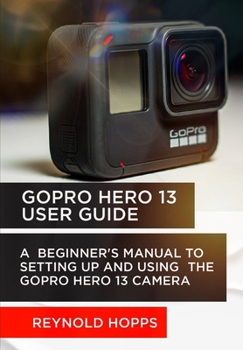
Gopro Hero 13 User Guide: A Beginner's Manual to Setting Up and Using the Gopro Hero 13 Camera
No Customer Reviews

Explore the realm of action photography and videography with the GoPro Hero 13 User Guide, an all-encompassing resource for optimizing the capabilities of this state-of-the-art action camera. This guide provides a comprehensive guide to capturing breathtaking 5.3K videos, time-lapse photos, and hyper-smooth action sequences, regardless of whether you are a novice or a seasoned user. It also covers the process of unboxing and setup.
Designed to endure challenging environments, the Hero 13 is submersible to a depth of 33 feet (10 meters) without the need for an external casing. Additionally, it features an enhanced battery that enables it to record for extended periods. Additionally, it features "voice-activated commands" for hands-free operation and upgraded "dual-lens support," which enables the capture of more inventive filming angles.
Learn how to master exposure, explore in-depth camera settings, and discover strategies for live broadcasting and vocal controls. Additionally, you will receive professional guidance on the utilization of attachments, accessories, and critical safety and troubleshooting strategies. This guide empowers you to unlock the complete potential of the GoPro Hero 13 and test your creative boundaries with its easy-to-follow chapters and insider tricks.
Here are some of the things you will learn from this guide: Overview of the GoPro Hero 13What's new in this model compared to previous versionsIdeal uses for the GoPro Hero 13: Sports, travel, and professional videographyGetting Started with Your GoPro Hero 13Unboxing the GoPro Hero 13: What's included in the packageSetting up for the first timeCharging the cameraInserting the SD cardPowering up the cameraUnderstanding the GoPro Hero 13's interfaceTouchscreen navigationButtons and basic controlsInstalling the GoPro app for mobile controlConnecting your camera to the Quik the GoPro AppGetting to know the App ProperlyHow to control the Quik AppGoPro SUBSCRIPTIONHow to Automatically Transfer Files Using Wi-Fi 6Color Correcting, Trimming, and Filtering Within-AppHow To Share Content Directly to Socials or Directly to the CloudResolution and Frame Rate Options5.3K, 4K, 1080p: Which resolution to use and whenFrame rates explained: 24fps, 30fps, 60fps, 120fpsField of View (FOV) Settings: Narrow, Linear, Wide, and SuperViewLow-light and HDR settings for enhanced performance in different environmentsVoice control: How to use voice commands for hands-free operationQuikCapture mode: Instant recording with a single button pressIntroduction to Interchangeable Lenses and ModsGetting Familiar with the New HB-Series LensesSnap and Go Magnetic Latch Mounting SystemWhy These Mods MatterHow to Shoot Using Ultra Wide, Macro, and Anamorphic Lens ModsAttaching and Taking Off ModsBest Use of Each Lens Mod and FilterC'mon, click on the BUY button to grab your copy now
Designed to endure challenging environments, the Hero 13 is submersible to a depth of 33 feet (10 meters) without the need for an external casing. Additionally, it features an enhanced battery that enables it to record for extended periods. Additionally, it features "voice-activated commands" for hands-free operation and upgraded "dual-lens support," which enables the capture of more inventive filming angles.
Learn how to master exposure, explore in-depth camera settings, and discover strategies for live broadcasting and vocal controls. Additionally, you will receive professional guidance on the utilization of attachments, accessories, and critical safety and troubleshooting strategies. This guide empowers you to unlock the complete potential of the GoPro Hero 13 and test your creative boundaries with its easy-to-follow chapters and insider tricks.
Here are some of the things you will learn from this guide: Overview of the GoPro Hero 13What's new in this model compared to previous versionsIdeal uses for the GoPro Hero 13: Sports, travel, and professional videographyGetting Started with Your GoPro Hero 13Unboxing the GoPro Hero 13: What's included in the packageSetting up for the first timeCharging the cameraInserting the SD cardPowering up the cameraUnderstanding the GoPro Hero 13's interfaceTouchscreen navigationButtons and basic controlsInstalling the GoPro app for mobile controlConnecting your camera to the Quik the GoPro AppGetting to know the App ProperlyHow to control the Quik AppGoPro SUBSCRIPTIONHow to Automatically Transfer Files Using Wi-Fi 6Color Correcting, Trimming, and Filtering Within-AppHow To Share Content Directly to Socials or Directly to the CloudResolution and Frame Rate Options5.3K, 4K, 1080p: Which resolution to use and whenFrame rates explained: 24fps, 30fps, 60fps, 120fpsField of View (FOV) Settings: Narrow, Linear, Wide, and SuperViewLow-light and HDR settings for enhanced performance in different environmentsVoice control: How to use voice commands for hands-free operationQuikCapture mode: Instant recording with a single button pressIntroduction to Interchangeable Lenses and ModsGetting Familiar with the New HB-Series LensesSnap and Go Magnetic Latch Mounting SystemWhy These Mods MatterHow to Shoot Using Ultra Wide, Macro, and Anamorphic Lens ModsAttaching and Taking Off ModsBest Use of Each Lens Mod and FilterC'mon, click on the BUY button to grab your copy now
Format:Paperback
Language:English
ISBN:B0DPM4DHFL
ISBN13:9798302495471
Release Date:December 2024
Publisher:Independently Published
Length:118 Pages
Weight:0.44 lbs.
Dimensions:0.3" x 6.7" x 9.6"
Customer Reviews
0 rating
Copyright © 2026 Thriftbooks.com
Terms of Use | Privacy Policy | Do Not Sell/Share My Personal Information | Cookie Policy | Cookie Preferences | Accessibility Statement
ThriftBooks ® and the ThriftBooks ® logo are registered trademarks of Thrift Books Global, LLC
ThriftBooks ® and the ThriftBooks ® logo are registered trademarks of Thrift Books Global, LLC
