


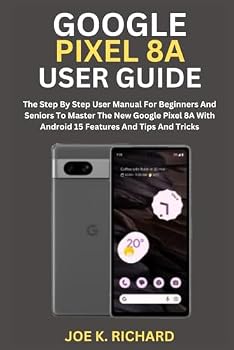
GOOGLE PIXEL 8A USER GUIDE: The Step By Step User Manual For Beginners And Seniors To Master The New Google Pixel 8A With Android 15 Features And Tips And Tricks
No Customer Reviews

GOOGLE PIXEL 8A Google has finally launched the much-awaited new Pixel series device Google Pixel 8a. The new Pixel 8a features a 6.1-inch FHD+ OLED HDR display with 2400 x 1080 pixels resolution, 120Hz refresh rate, up to 2000 nites peak brightness, and the Corning Gorilla Glass 3 protection. It is powered by the Google Tensor G3 processor with Titan M2 security chip. It comes with 8GB of LPDDR5X RAM with 128GB/256GB of (UFS 3.1) inbuilt storage capacity. It runs on the Android 14 OS out of the box and will receive 7 years of updates for the OS, security, and Feature Drop updates. It supports Dual-SIMs (nano + eSIM). The Pixel 8a has essentially the same class-leading camera system as last year's 7a. The main 64-megapixel camera is the star of the show, capturing excellent photos across a range of lighting conditions, while the 13MP ultrawide is one of the best, particularly at this price. The smartphone houses a 4492mAh battery which comes with 18W fast charging and Qi-enabled wireless charging support. The smartphone comes with Google's adaptive battery technology which promises to optimise power. The Google Pixel 8A user guide is designed to help users learn about all of the phone's functions and features. This manual will also help you to set up and use your device effectively and efficiently as a pro. Here's what you'll learn from this guide: Features of the Google Pixel 8a The first things you need to do with your new Google Pixel 8a Set your do-not-disturb How to transfer data to your new Google Pixel 8a How to activate and set your Google Pixel 8a How to adjust brightness settings How to switch apps How to find and move your apps How to use messages on your pixel 8a How to change location settings on your pixel 8a How to insert a sim card on pixel 8a How to set up eSIM How to add your emergency info How to schedule a safety check How to customize your pixel 8a wallpapers How to change the ringtone How to change settings quickly How to change your volume settings How to enable circle search How to use a photo app to edit a picture How to use gridlines to straighten photos How to use Magic Editor to reimagine your photos How to use Google Assistant on your pixel 8a How to set up a routine on your pixel phone How to utilize the Google Pixel 8a camera How to set up live translate How to limit notifications on your pixel 8a How to check your battery level How to use adaptive charging How to connect a Bluetooth device How to set up face unlock How to set up fingerprint unlock How to use magic editor How to edit your videos with an audio eraser How to use the Google Pixel's top shot feature to take perfect photos How does astrophotography work with pixel devices Android 15 Features Tips and tricks Index And many more Scroll up and click the buy now button to purchase this guide
Format:Paperback
Language:English
ISBN:B0D5753PDJ
ISBN13:9798326553461
Release Date:May 2024
Publisher:Independently published
Length:424 Pages
Weight:1.57 lbs.
Dimensions:9.0" x 1.0" x 6.0"
Customer Reviews
0 rating
Copyright © 2026 Thriftbooks.com
Terms of Use | Privacy Policy | Do Not Sell/Share My Personal Information | Cookie Policy | Cookie Preferences | Accessibility Statement
ThriftBooks ® and the ThriftBooks ® logo are registered trademarks of Thrift Books Global, LLC
ThriftBooks ® and the ThriftBooks ® logo are registered trademarks of Thrift Books Global, LLC
