


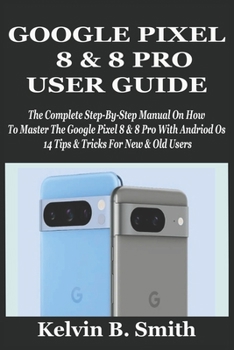
Google Pixel 8 & 8 Pro User Guide: The Complete Step-By-Step Manual On How To Master The Google Pixel 8 & 8 Pro With Andriod Os 14 Tips & Tricks For N
No Customer Reviews

The new Google Pixel 8 and 8 pro which was released on October 2023 comes with a lot of improved camera and AI functionalities. The Google Pixel 8 Pro comes with an improved video capture known as the video boost which processes video in the cloud instead of the device while the regular Pixel 8 comes with a macro mode.
The new Google release comes with an assistant voice that sounds more natural and it can understand more content from your calls and you can also use it to answer calls. Google makes the superiority of the Pixel 8 Pro stand out by giving it a more expensive temperature sensor for the first time.
One of the most interesting features of the Google Pixel 8 and 8 Pro is that it can change the expression of one's face in a group picture.
This manual will help you know how to operate and get the most out of your Google Pixel 8 and 8 Pro. It is made for both beginners and advanced users of the Pixel 8 and 8 Pro to master the new features of the phone. It comes with tips and tricks and also pictures for easy learning.
The Following Are What You Will Find Inside This Book: How To Back/Restore Up Your Pixel PhoneHow To Move Data From Your Andriod To Your Google PixelHow To Factory Reset Your Google PixelHow To Charge The Google PixelHow To Charge Other Devices With Your Google Pixel 8/8 ProHow To Turn On And Connect Hotspot On The Google PixelHow To Insert Sim Card On The Pixel 8/8 ProHow To Select Network Mode On The Google PixelHow To Set Default Sim For Data, Texts And CallsHow To Add Esim On The Google PixelHow To View Data Usage On The Google PixelHow To Set Data Warning On The Google Pixel 8/8 ProHow To Turn On/Off Data Roaming On The Google PixelHow To Use Wi-Fi On The Google PixelHow To Use Do Not DisturbHow To Check Your Battery UsageHow To Include The Battery Widget On Your Home Screen's WidgetsHow To Customize Your ScreenHow To Change Language On The Google PixelHow To Turn Battery Percentage On/Off On The Google PixelHow To Use Gestures On The Google PixelHow To Check NotificationsHow To Activate Face Unlock On The Google PixelHow To Use Navigations On The Pixel 8/8 ProHow To Adjust The Display ResolutionHow To On/Off Call Waiting On The Google Pixel 8/8 ProHow To Set Direct My CallHow To Use Call ScreenHow To Modify Vibration SettingsHow To Show/Hide Your Caller IDHow To Set Up Google DuoHow To Make Video Call With Google DuoHow To Delete Your Google Duo AccountHow To Switch On/Off Safe ModeHow To Add Gridlines To Your Pixel Phone CameraHow To Remove And Find PhotosHow To Screen Record Your Phone ScreenHow To Set Car Detection On Google PixelHow To Use One-Hand ModeTips And TricksClick The Buy Button To Get You Now
The new Google release comes with an assistant voice that sounds more natural and it can understand more content from your calls and you can also use it to answer calls. Google makes the superiority of the Pixel 8 Pro stand out by giving it a more expensive temperature sensor for the first time.
One of the most interesting features of the Google Pixel 8 and 8 Pro is that it can change the expression of one's face in a group picture.
This manual will help you know how to operate and get the most out of your Google Pixel 8 and 8 Pro. It is made for both beginners and advanced users of the Pixel 8 and 8 Pro to master the new features of the phone. It comes with tips and tricks and also pictures for easy learning.
The Following Are What You Will Find Inside This Book: How To Back/Restore Up Your Pixel PhoneHow To Move Data From Your Andriod To Your Google PixelHow To Factory Reset Your Google PixelHow To Charge The Google PixelHow To Charge Other Devices With Your Google Pixel 8/8 ProHow To Turn On And Connect Hotspot On The Google PixelHow To Insert Sim Card On The Pixel 8/8 ProHow To Select Network Mode On The Google PixelHow To Set Default Sim For Data, Texts And CallsHow To Add Esim On The Google PixelHow To View Data Usage On The Google PixelHow To Set Data Warning On The Google Pixel 8/8 ProHow To Turn On/Off Data Roaming On The Google PixelHow To Use Wi-Fi On The Google PixelHow To Use Do Not DisturbHow To Check Your Battery UsageHow To Include The Battery Widget On Your Home Screen's WidgetsHow To Customize Your ScreenHow To Change Language On The Google PixelHow To Turn Battery Percentage On/Off On The Google PixelHow To Use Gestures On The Google PixelHow To Check NotificationsHow To Activate Face Unlock On The Google PixelHow To Use Navigations On The Pixel 8/8 ProHow To Adjust The Display ResolutionHow To On/Off Call Waiting On The Google Pixel 8/8 ProHow To Set Direct My CallHow To Use Call ScreenHow To Modify Vibration SettingsHow To Show/Hide Your Caller IDHow To Set Up Google DuoHow To Make Video Call With Google DuoHow To Delete Your Google Duo AccountHow To Switch On/Off Safe ModeHow To Add Gridlines To Your Pixel Phone CameraHow To Remove And Find PhotosHow To Screen Record Your Phone ScreenHow To Set Car Detection On Google PixelHow To Use One-Hand ModeTips And TricksClick The Buy Button To Get You Now
Format:Paperback
Language:English
ISBN:B0DCVNRSZQ
ISBN13:9798335649827
Release Date:August 2024
Publisher:Independently Published
Length:190 Pages
Weight:0.58 lbs.
Dimensions:0.4" x 6.0" x 9.0"
Customer Reviews
0 rating
Copyright © 2026 Thriftbooks.com Terms of Use
| Privacy Policy | Do Not
Sell/Share My Personal Information | Cookie Policy | Cookie Preferences | Accessibility Statement
ThriftBooks® and the ThriftBooks® logo are registered trademarks of Thrift Books Global, LLC
ThriftBooks® and the ThriftBooks® logo are registered trademarks of Thrift Books Global, LLC
