


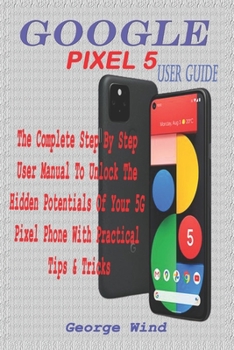
Google Pixel 5 User Guide: The Complete Step by Step User Manual to Unlock the Hidden Potentials of Your 5g Pixel Phone with Practical Tips & Tri
No Customer Reviews

Much has been discussed in this book to help successfully utilize your pixel phone. Below is a list of just some of these.
Why not Click the Buy Now button and then begin this intriguing 'journey'. I wish you the best
Google Pixel 5..........
At A GlancePriceIn The Box With Your PhoneCheck And Update Your Android VersionFree Up Space On A PhoneSet Up Your PhoneFactory Reset Your PhoneGet A Sim Card For Your PhoneSet Up And Use Usb-C EarbudsHelp From Your Google AssistantTake, Find And Share PhotosUse Hey Google Searches And Voice ActionsUsing Bluetooth On Your PhoneCharge Your Phone Wirelessly With The Pixel StandTroubleshoot Problems With Your Pixel StandAdd, Move, Or Import ContactsAdd A Contact From Your Android Phone Or TabletMerge Duplicate ContactsExport, Backup, Or Restore ContactsEnable Or Disable Automatic BackupRestore Contacts From BackupsBack Up Or Restore Data To Your PhoneEdit Or Delete ContactsRestore Deleted ContactsDelete Contact On AndroidBlock ContactsView, Group, And Share ContactsUse Groups In GmailChange From iMessage To MessagesUnsubscribe From iMessageIf Cannot Transfer Data To Your New PhoneHow To Transfer Some Data After SetupChange The Google Camera App Settings On Your PhoneChange The Function Of Your Volume KeysTurn On The FlashUse Talkback With The Google Camera On Your PhoneUse Photos On Your PhoneTake Advanced PhotosHow To Find Information About The Objects In Your AreaHow To Find Information About The Results In The Image SearchHow To Find Information About The Objects Around YouOpen And Close The Google Camera App On Your PhoneUse Gestures On Your PhoneEnable Or Disable GesturesCheck The NotificationsQuickly Silence Your PhoneTalk To Your AssistantSqueeze Your Phone - Pixels 2-4Control Notifications On Your PhoneChoose Settings That Use Less BatteryTurn Off The Keyboard Sound And VibrationReduce Battery Consumption In The BackgroundAct Quickly With Quick GesturesSolve Problems With Quick GesturesHow Now Playing Works NowShare Usage And Diagnostic Information With GoogleLimit The Apps That Are Using The Most BatteryTake Care Of Your BatterySet Up Digital WellbeingTemporarily Suspend Distracting AppsMake Contactless Payments With Your PhoneActivate Nfc - Near Field CommunicationManage Applications That Use Contactless PaymentsOpen Your Cards & Passes The Power ButtonFixed Unwanted Card Reading Blocking Contactless PaymentsTurn Off Contactless PaymentsAutomatic Connection To Open Wi-Fi NetworksHow To Solve Issues Relating To Wi-Fi AssistantFind And Configure Devices In Your AreaEnable Or Disable NotificationsQuickly Change Your Pixel Phone SettingsTaking Screenshots And Recording Screens On Your Google Pixel PhonePrint From Your DeviceAdd A New Print Service And Use ItFinding And Deleting Google Pixel Phone FilesShare, Print, Save To Drive And MoreTroubleshoot Moving Files Over UsbTake Animated Photos And Use Top Shot On Your Pixel PhoneHow To Use Augmented Reality - ArRecord An Augmented Reality VideoFormat:Paperback
Language:English
ISBN:B08NDXG22G
ISBN13:9798563963177
Release Date:November 2020
Publisher:Independently Published
Length:342 Pages
Weight:1.01 lbs.
Dimensions:0.7" x 6.0" x 9.0"
Customer Reviews
0 rating
Copyright © 2026 Thriftbooks.com Terms of Use
| Privacy Policy | Do Not
Sell/Share My Personal Information | Cookie Policy | Cookie Preferences | Accessibility Statement
ThriftBooks® and the ThriftBooks® logo are registered trademarks of Thrift Books Global, LLC
ThriftBooks® and the ThriftBooks® logo are registered trademarks of Thrift Books Global, LLC
