


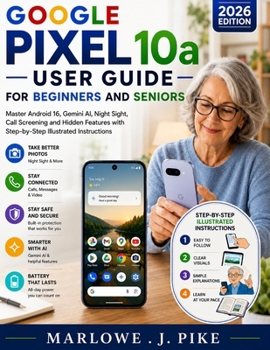
Google Pixel 10a User Guide for Beginners and Seniors: Master Android 16, Gemini AI, Night Sight, Call Screening and Hidden Features with Step-by-Step

WHAT IF USING A SMARTPHONE DIDN'T FEEL CONFUSING ANYMORE, BUT INSTEAD FELT SIMPLE, CALM, AND FULLY UNDER YOUR CONTROL?
Most people buy a powerful phone like the Google Pixel 10a and only use a small part of what it can do. This guide changes that completely.
The Google Pixel 10a User Guide for Beginners and Seniors is designed to turn confusion into confidence. Every feature, setting, and tool is broken down into clear, step-by-step instructions that anyone can follow, even if you have never used a modern smartphone before.
What if your phone could actually feel easy from the very first day, instead of overwhelming?
The truth is, most users never discover the real power of their device. They struggle with settings, miss out on helpful features, and never fully experience what their phone is capable of. This book removes that barrier completely.
This guide is written specifically for beginners, seniors, and anyone who wants clarity without technical stress. It takes you from basic setup to advanced AI features in a natural learning flow that feels simple and practical.
You will not find confusing jargon or complicated explanations. Instead, you get real-world instructions that show you exactly what to do and why it matters.
Inside this book, you will learn how to:
Set up your Pixel 10a step by step without confusion or guessworkMaster calls, messages, and contacts with confidenceTake stunning photos using Night Sight, Portrait Mode, and AI camera toolsUse Google Gemini and built-in AI features in everyday lifeProtect your privacy with powerful security tools like Find My Device and scam protectionExtend your battery life and keep your phone running smoothlyNavigate apps, settings, and Android 16 like a natural userTroubleshoot common issues without needing technical supportUnlock hidden features most users never discoverEvery chapter is structured to help you learn by doing, not just reading.
If you have ever felt that your smartphone is more powerful than you are comfortable with, this guide is your turning point.
Do not let your device stay half-used while hidden features go unnoticed. Take control of your Pixel 10a and unlock everything it was designed to do.
Start your journey today with the Google Pixel 10a User Guide for Beginners and Seniors and turn your phone into something you fully understand, trust, and enjoy using every day.
Customer Reviews
ThriftBooks ® and the ThriftBooks ® logo are registered trademarks of Thrift Books Global, LLC
