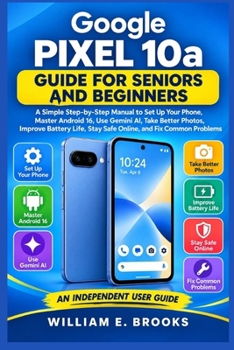
Google Pixel 10a GUIDE FOR SENIORS AND BEGINNERS: A Simple Step-by-Step Manual to Set Up Your Phone, Master Android 16, Use Gemini AI, Take Better Pho

Feeling unsure about setting up your new Google Pixel 10a or worried that modern smartphone features may be too complicated?
You do not need to be technically minded to enjoy everything your phone can do.
Google Pixel 10a Guide for Seniors and Beginners is a clear, practical, step-by-step manual created for older adults, first-time smartphone users, and anyone who wants simple guidance without confusing technical language.
From the moment you switch on your Pixel 10a, this guide walks you through the essentials at a comfortable pace. You will learn how to set up the phone correctly, understand Android 16, adjust the screen for easier viewing, make calls, send messages, use useful Google services, and stay connected with family and friends.
You will also discover how to use Gemini AI for everyday help, take better photos and videos, manage Google Photos, improve battery life, protect your privacy, avoid common online scams, and solve everyday phone problems with confidence.
Inside this guide, you will learn how to: Set up your Google Pixel 10a from the beginningUnderstand Android 16 navigation, gestures, and notificationsMake text, icons, sound, and accessibility settings easier to useMake calls, organise contacts, send messages, and block unwanted callersUse Gemini AI and Circle to Search for everyday tasksTake better photos, selfies, night shots, and videosEdit, organise, back up, and safely share photosUse Gmail, Maps, Calendar, Chrome, Google Drive, and essential appsConnect to Wi-Fi, Bluetooth, mobile data, hotspots, and accessoriesProtect your phone with strong security and privacy settingsRecognise scam calls, phishing messages, and unsafe linksImprove battery life and manage storage spaceTroubleshoot charging, Wi-Fi, Bluetooth, apps, sound, camera, and performance problemsEach chapter is written in straightforward language with practical instructions designed to help you learn by doing.
Whether this is your first smartphone, your first Pixel, or you simply want a reliable guide you can return to whenever you forget a step, this book is designed to make the Pixel 10a feel less intimidating and far more useful.
Stop guessing your way through settings and start using your Pixel 10a with confidence, independence, and ease.
Scroll up and click "Buy Now" to get your copy today and start mastering your Google Pixel 10a step by step.
Customer Reviews
ThriftBooks ® and the ThriftBooks ® logo are registered trademarks of Thrift Books Global, LLC