


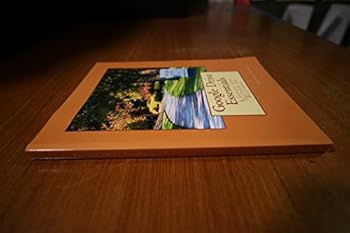
Google Drive Essentials: A Google Apps Textbook for Youth Beginners
No Customer Reviews

The purpose of this textbook is to introduce young people and beginners to valuable word processing, spreadsheet, presentation, graphics and forms skills using Google Drive. In this book, George Somers provides a curriculum, complete with 35 lessons and assessments, designed for grades five through eight. However, anyone new to Google Drive and Google Apps will benefit from the skills taught in this textbook. The book includes materials and graphics which have been updated for Google Drive 2.0 (2014).George Somers has been a technology educator in Central California since 1993. He currently teaches Kindergarten through eighth grades at Our Lady of Mercy School in Merced, CA. He is also an Adjunct Professor teaching Computer Applications for Merced College in Merced, CA. George has created this textbook by employing the lessons and assignments he has used in his teaching career and drawing upon his twenty plus years of teaching experience.Google Drive Lessons in this Textbook:Getting Started With Google DriveWord Processing - Google DocsLesson 1: Let's Get Word ProcessingLesson 2: Print OptionsLesson 3: Find/Replace and Spell CheckLesson 4: Selecting Text, Cut/Copy/Paste, Drag/Drop EditingLesson 5: Working with FontsLesson 6: Paragraph IndentsLesson 7: Paragraph Line SpacingLesson 8: Paragraph JustificationLesson 9: TabsLesson 10: Adding a Graphic ObjectLesson 11: Page SettingsLesson 12: TablesSpreadsheets - Google SheetsLesson 1: Exploring a SpreadsheetLesson 2: Simple Formulas and FunctionsLesson 3: Copy Formulas, Insert Columns and RowsLesson 4: Max, Min, and Average FunctionsLesson 5: Absolute ReferencesLesson 6: Format Text and CellsLesson 7: Borders and Conditional Formatting, Hide GridlinesLesson 8: Formulas Using DatesLesson 9: Data SortLesson 10: Create a Chart (Same Worksheet)Lesson 11: Create a Chart (On Its Own Worksheet)Lesson 12: Using a Form to Populate a SpreadsheetPresentations - Google SlidesLesson 1: Getting Started With PresentationsLesson 2: Spell Check, Duplicate, Reorder, and Delete SlidesLesson 3: Images, WordArt, Change BackgroundLesson 4: Transitions, Animations, and Viewing SlideshowsLesson 5: Working with Tables on SlidesLesson 6: Speaker NotesLesson 7: Buttons and HyperlinksGraphics - Google DrawingsLesson 1: Basic Shapes, Lines and Line StylesLesson 2: Draw, Duplicate, Rotate and Manipulate Complex Graphic ObjectsLesson 3: AlignmentLesson 4: Stacking Order
Format:Paperback
Language:English
ISBN:1500402338
ISBN13:9781500402334
Release Date:July 2014
Publisher:CreateSpace Independent Publishing Platform
Length:212 Pages
Weight:1.41 lbs.
Dimensions:11.0" x 0.5" x 8.5"
Customer Reviews
0 rating
Copyright © 2026 Thriftbooks.com Terms of Use
| Privacy Policy | Do Not
Sell/Share My Personal Information | Cookie Policy | Cookie Preferences | Accessibility Statement
ThriftBooks® and the ThriftBooks® logo are registered trademarks of Thrift Books Global, LLC
ThriftBooks® and the ThriftBooks® logo are registered trademarks of Thrift Books Global, LLC
