


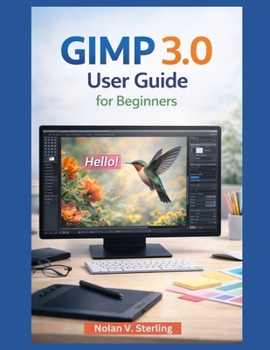
Gimp 3.0 User Guide for Beginners

GIMP 3.0 User Guide for Beginners: The Ultimate Step-by-Step Guide to Mastering GIMP's Powerful Editing Tools
Unlock the full potential of GIMP 3.0 with this comprehensive user guide designed specifically for beginners. Whether you're new to image editing or transitioning from another software, this guide will help you quickly master GIMP's versatile tools and workflows. With practical, easy-to-follow instructions, you'll learn how to create stunning graphics, enhance photos, and design everything from logos to digital illustrations.
Why You Need This Book:
Perfect for Beginners: No prior experience in GIMP required This guide breaks down every aspect of the software in clear, simple steps so you can start editing images right away.
Comprehensive Coverage: From installation to advanced editing techniques, this guide covers it all-whether you're touching up photos, creating digital artwork, or working on graphic designs.
Hands-On Projects: Each chapter includes practical projects that help you apply the techniques you learn. Whether it's retouching an image or creating a flyer, you'll gain real-world experience.
Expert Tips and Workflow Insights: Get access to professional tips and tricks to streamline your editing process and make the most of GIMP's powerful features.
What You'll Learn:
Getting Started with GIMP: From installation and interface customization to basic configuration and first launch, this book walks you through getting up and running with GIMP 3.0.
Essential Editing Tools: Learn how to use selection tools, paint tools, retouching tools, and more to edit photos, remove backgrounds, and apply effects.
Working with Layers and Masks: Understand how layers work and how to use masks for non-destructive editing, enabling you to make changes without permanently altering the original image.
Color, Text, and Effects: Master color corrections, brightness adjustments, and applying various effects to enhance your images. You'll also learn how to create and manipulate text with GIMP's typography tools.
Practical Design Projects: Create stunning designs for social media, posters, banners, and more. This book includes step-by-step guides to help you build your own projects from scratch.
Customizing GIMP: Learn how to install plugins, create custom brushes, and adjust GIMP's interface and settings to suit your needs and optimize your workflow.
Advanced Techniques for Professionals: Once you've mastered the basics, dive deeper into advanced topics like automation, batch processing, and multi-layered compositions.
Who Needs This Book:
Beginners: If you're new to GIMP or image editing software, this guide is your perfect starting point.
Hobbyists and DIY Designers: Perfect for those looking to design their own projects, from personal artwork to custom designs for family and friends.
Freelancers and Small Business Owners: Whether you're designing logos, advertisements, or social media posts, this guide will help you create professional-quality designs for your business.
Students and Educators: Ideal for learning or teaching GIMP in educational settings, this guide makes it easy to understand core concepts and apply them in real projects.
Buy your copy of the GIMP 3.0 User Guide for Beginners today and start mastering the world of digital image editing with one of the most powerful free tools available.
Customer Reviews
ThriftBooks® and the ThriftBooks® logo are registered trademarks of Thrift Books Global, LLC
